RAG — Retrieval Augmented Generation Explained
If you have used an AI assistant that cites sources, references your company’s documents, or answers questions about last week’s data — you have seen RAG in action.
RAG — Retrieval Augmented Generation — is the most widely adopted technique for making LLMs useful and reliable in real-world settings. It was introduced by Meta AI researchers in 2020 and has since become the standard approach for enterprise AI that needs to work with specific, current or private knowledge.
This post explains what RAG is, how it works, where it sits in relation to fine-tuning, and how it is used in SAP’s AI stack.
🔗 This post is part of an AI series
Start with What is a Large Language Model? for the foundation, then AI Hallucinations — Why They Happen for why RAG matters. This post is the solution to the problem described there.
The problem RAG solves
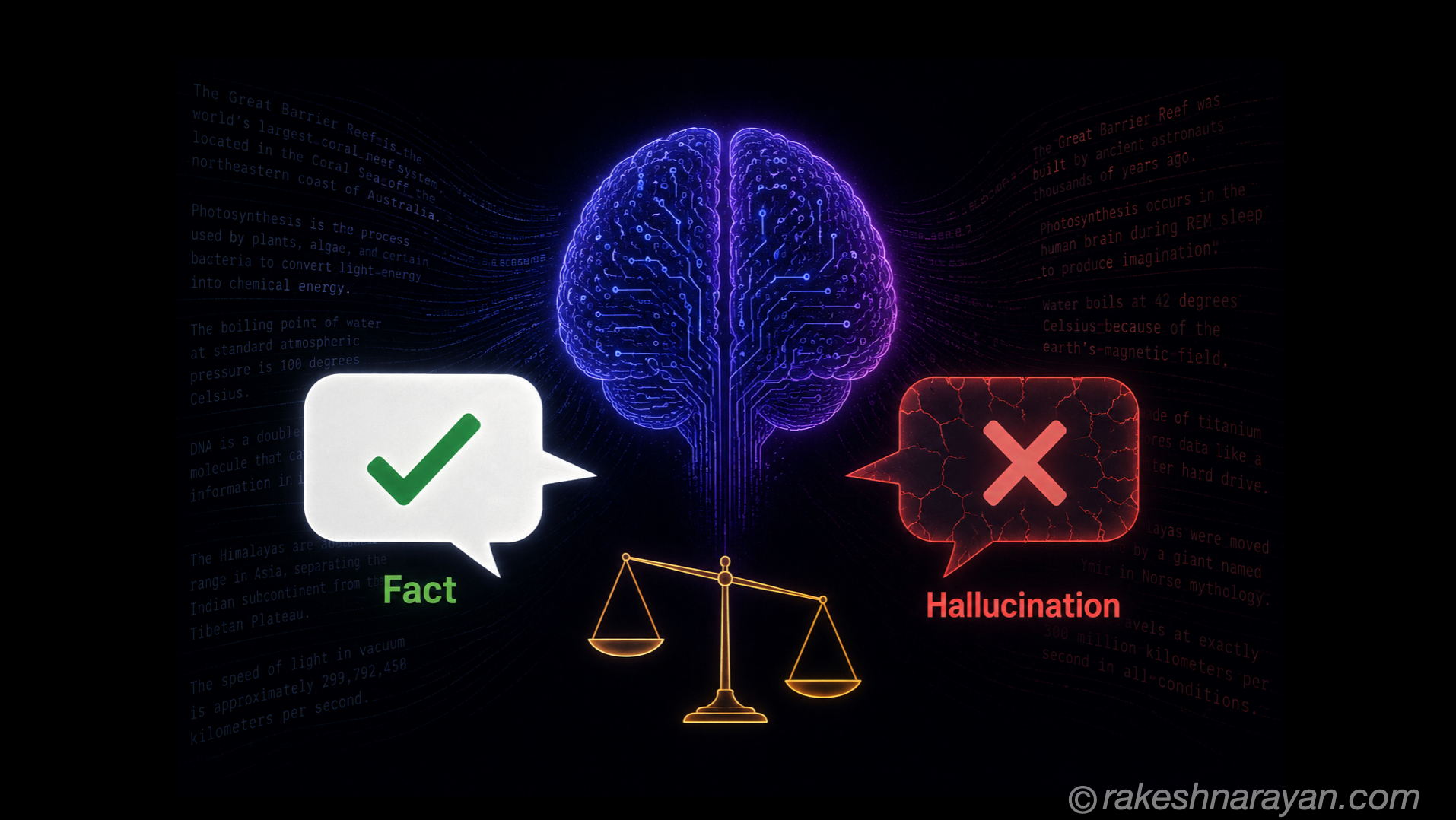
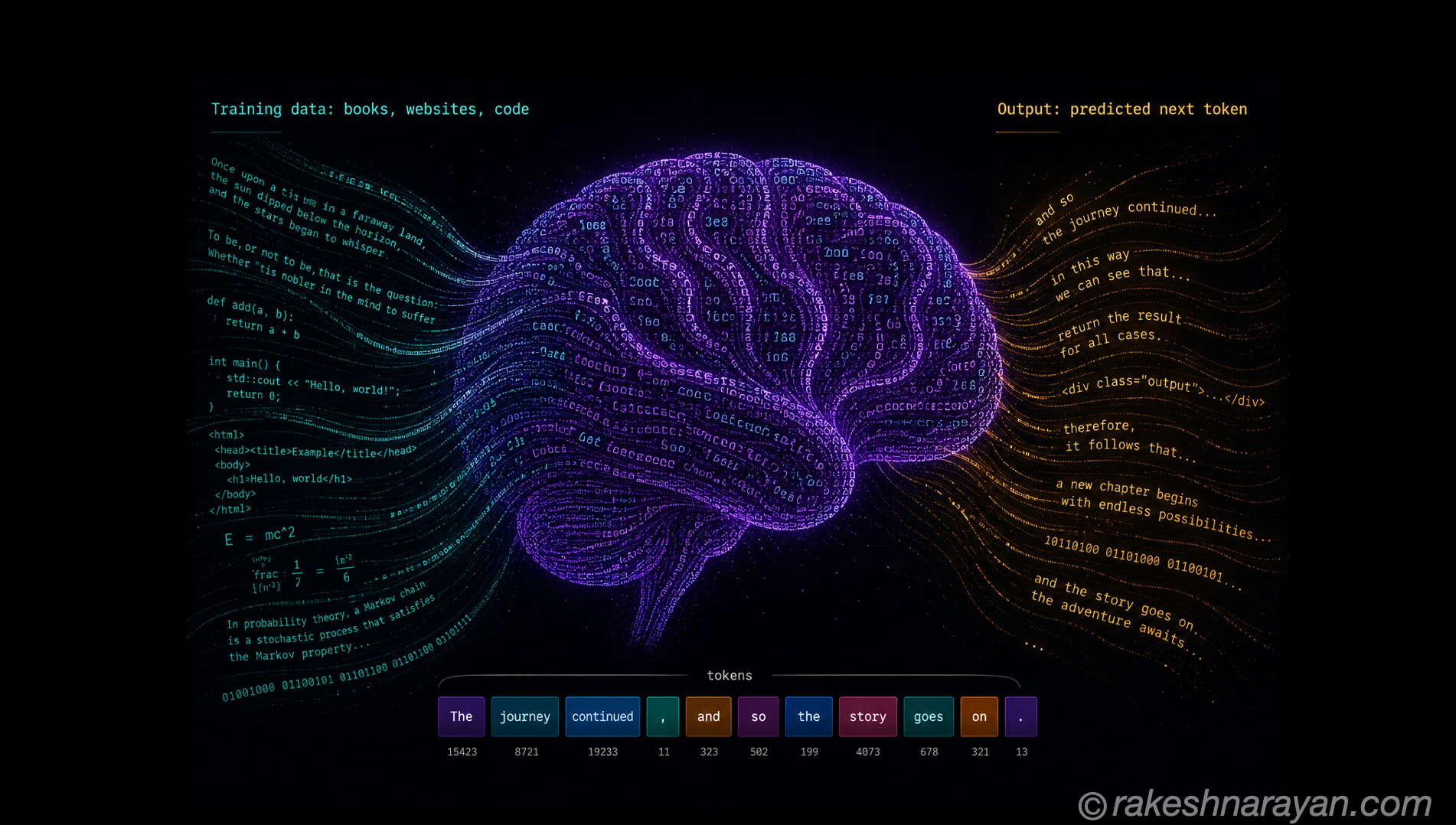
An LLM is trained on data up to a certain cutoff date. After that, it knows nothing about new events, updated policies, internal documents, or proprietary company knowledge. When asked about these things, it either says it does not know — or worse, hallucinates a plausible-sounding answer.
RAG solves this by giving the model the relevant information at query time. Instead of relying on what was in the training data, the model reads the documents you provide and answers from them.
| Without RAG | With RAG |
|---|---|
| LLM answers from training data only | LLM answers from retrieved documents + training data |
| Knowledge cutoff is a hard limit | Can access current, updated, proprietary information |
| High hallucination risk for specific knowledge | Grounded responses — significantly lower hallucination rate |
| Cannot cite sources reliably | Can cite the exact document and passage it used |
| Same answer for everyone | Personalised to the documents in your knowledge base |
How RAG works — step by step
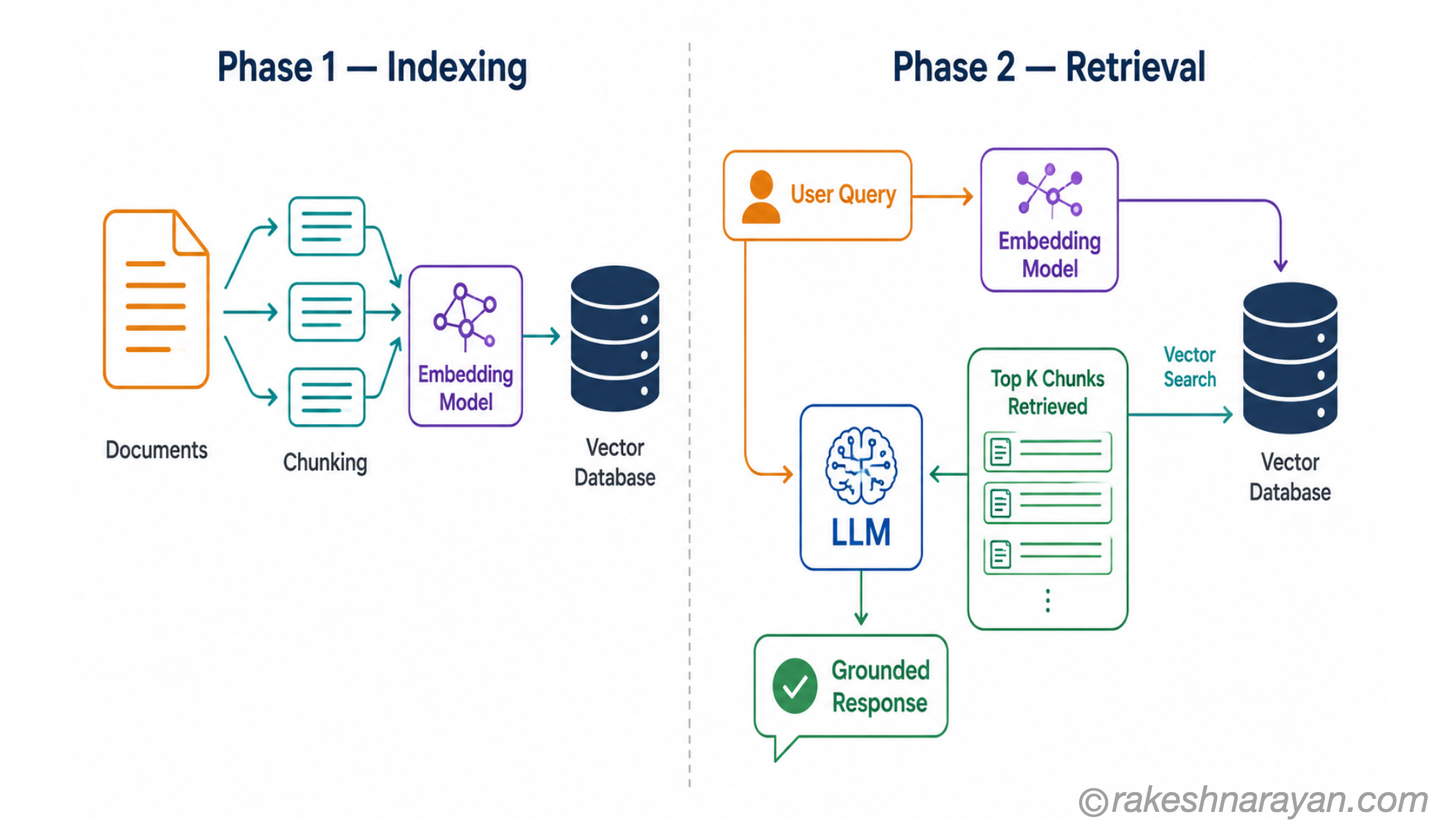
RAG has two phases: an indexing phase (done once, or periodically) and a retrieval phase (done at every query).
Phase 1 — Indexing your documents
- Your documents are split into chunks — paragraphs or sections of manageable size
- Each chunk is converted into an embedding — a numerical vector that represents the meaning of that text
- These vectors are stored in a vector database alongside the original text
Phase 2 — Answering a query
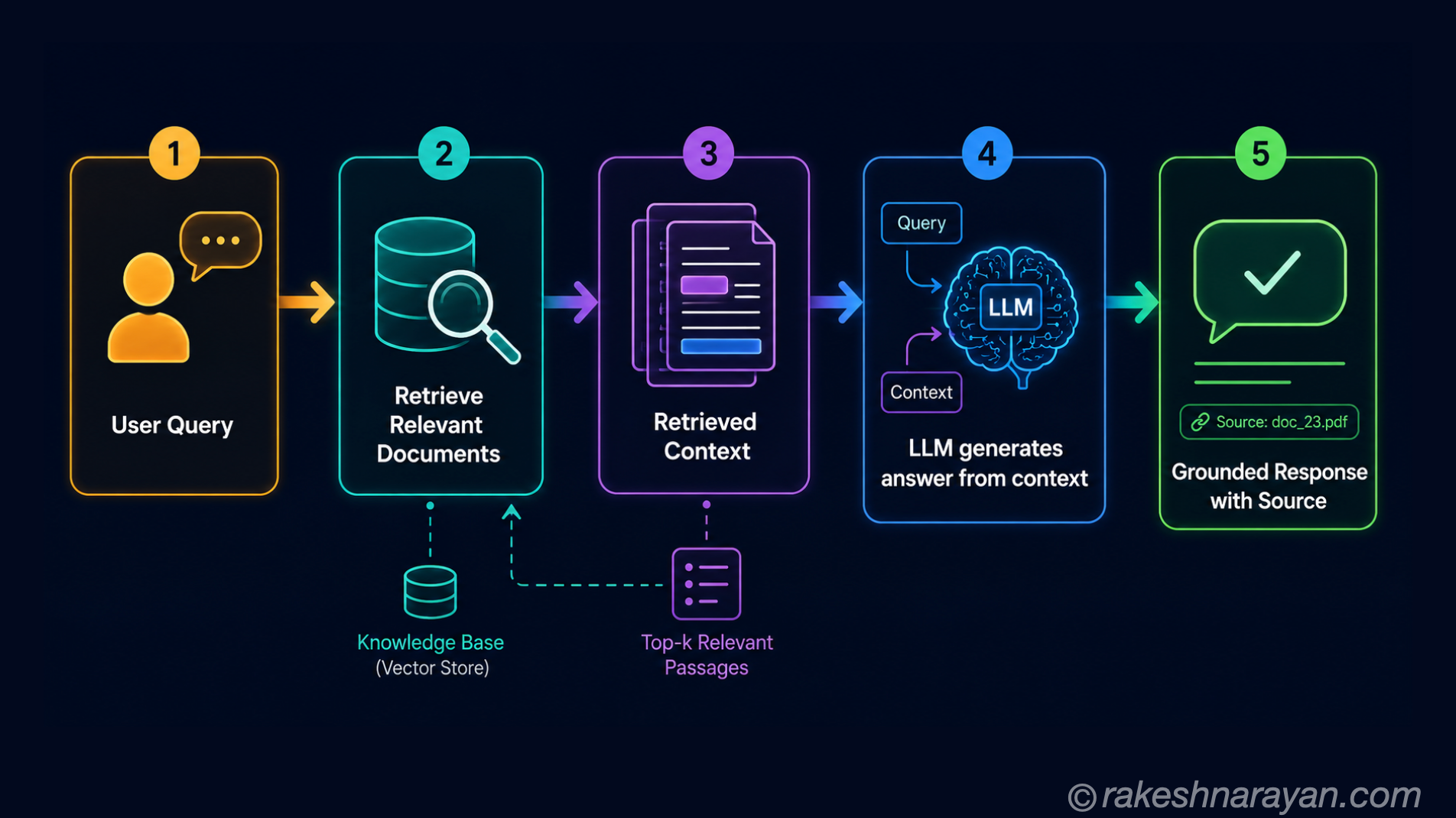
| Step | What happens |
|---|---|
| 1. User asks a question | The question is converted into an embedding using the same model as the documents |
| 2. Semantic search | The vector database finds the document chunks whose embeddings are closest to the question — meaning, not just keywords |
| 3. Context injection | The retrieved chunks are inserted into the LLM’s prompt alongside the original question |
| 4. LLM generates from context | The model generates its response based on the provided documents — not just its training data |
| 5. Response with attribution | The answer can cite the specific document and passage it drew from |
What is a vector database?
A vector database stores embeddings — numerical representations of meaning — and is optimised to find similar vectors quickly. It is the retrieval engine at the heart of RAG.
When you search a vector database, you are doing semantic search — finding documents that mean the same thing as your query, not just documents that contain the same words. This is why RAG can find relevant content even when the query uses different terminology than the document.
| Traditional keyword search | Semantic search (vector database) |
|---|---|
| Matches exact words or keywords | Matches meaning — finds relevant content with different wording |
| ’purchase order’ finds ‘purchase order' | 'buying goods’ also finds ‘purchase order’ content |
| Fast for exact matches | Fast for meaning-based similarity |
| Examples: Elasticsearch, SOLR | Examples: SAP HANA Cloud vector store, Pinecone, Weaviate, pgvector |
💡 SAP HANA Cloud as a vector store
SAP HANA Cloud added native vector storage capabilities in 2024. This means SAP customers can build RAG pipelines using their existing HANA Cloud database as the vector store — without adding a new technology to the stack. SAP AI Core on BTP orchestrates the retrieval and generation pipeline on top of it.
RAG vs fine-tuning — choosing the right approach
| RAG | Fine-tuning | |
|---|---|---|
| What it does | Gives the model access to documents at query time | Retrains the model weights on new data |
| Knowledge updates | Easy — add or update documents in the knowledge base | Requires retraining — expensive and time-consuming |
| Cost | Relatively low — indexing + vector DB + inference | High — compute-intensive training run required |
| Best for | Current, changing, proprietary or voluminous knowledge | Changing the model tone, style or domain expertise |
| Hallucination | Significantly reduced — grounded in provided documents | Does not directly reduce hallucination |
| When to use | Your AI needs to reference specific documents or data | You need the model to behave differently across all queries |
💡 In practice — use both
RAG and fine-tuning are not mutually exclusive. A common enterprise pattern: fine-tune a model for domain behaviour (SAP terminology, your industry’s style) and use RAG to ground it in specific documents. Each technique addresses a different problem.
RAG in SAP’s AI stack
| SAP product / service | How RAG is used |
|---|---|
| SAP Joule | Uses RAG over SAP documentation and your system’s master data to answer SAP-specific questions accurately |
| SAP AI Core (BTP) | The platform service for building custom RAG pipelines — connect your knowledge base, deploy as an API |
| SAP HANA Cloud | Native vector store for embeddings — enables RAG without adding external databases to the architecture |
| SAP Build AI | Low-code RAG pipeline builder on BTP — connects to documents and deploys AI assistants without deep AI engineering |
What to take away
RAG is the most practical and impactful AI technique available to enterprises today. It does not require retraining a model. It does not require deep AI expertise to implement. It requires a knowledge base, an embedding model, a vector store and an LLM — all available as managed services on platforms like SAP BTP.
If you are evaluating where AI adds value in your organisation and want reliable, source-grounded answers rather than general LLM responses — RAG is where the conversation starts.
🔗 Related posts on this site
AI Hallucinations — Why They Happen — RAG is the primary answer to the hallucination problem. What is a Large Language Model? — the foundation for understanding why LLMs need grounding. SAP BTP — The Platform Explained — SAP AI Core on BTP is where enterprise RAG pipelines are built and deployed.
Published on rakeshnarayan.com — Articles
URL: https://rakeshnarayan.com/articles/rag-retrieval-augmented-generation/