REST API Design Principles
Every time your phone app loads data, or two systems talk to each other over the internet, there is very likely a REST API in the middle. REST is the most widely used approach for building web APIs today.
This post covers the principles behind REST — not the code, not a specific framework. The principles. Once you understand them, you can design better APIs, review existing ones more confidently, and understand why things are built the way they are.
What REST is
REST stands for Representational State Transfer. It is an architectural style — a set of constraints — defined by Roy Fielding in his doctoral dissertation in 2000.
It is not a protocol. It is not a standard. It is a set of design decisions that, when followed, produce APIs that are predictable, scalable, and easy to work with.
An API that follows REST principles is called a RESTful API.
💡 REST vs RESTful
REST is the architectural style. RESTful is the term used for APIs that follow those principles in practice. In everyday conversation, people use both interchangeably.
The six constraints Fielding defined
Fielding defined six constraints. An API that satisfies all of them qualifies as truly RESTful.
| Constraint | What it means in plain English |
|---|---|
| Client-Server | The client (who asks) and the server (who responds) are separate. Each can change independently as long as the interface between them stays the same. |
| Stateless | Every request must contain all the information needed to process it. The server does not store anything about the client between requests. |
| Cacheable | Responses must tell the client whether they can be cached or not. Caching reduces load and improves performance. |
| Uniform Interface | All interactions follow the same set of rules — resources are identified by URIs, and standard HTTP methods are used consistently. |
| Layered System | The client does not need to know if it is talking directly to the server or through intermediaries (load balancers, gateways, proxies). |
| Code on Demand (optional) | The server can send executable code to the client — for example, JavaScript. This is the only optional constraint. |
In practice, the two constraints that matter most day-to-day are Stateless and Uniform Interface. The others are largely handled by infrastructure.
Resources — the foundation of REST
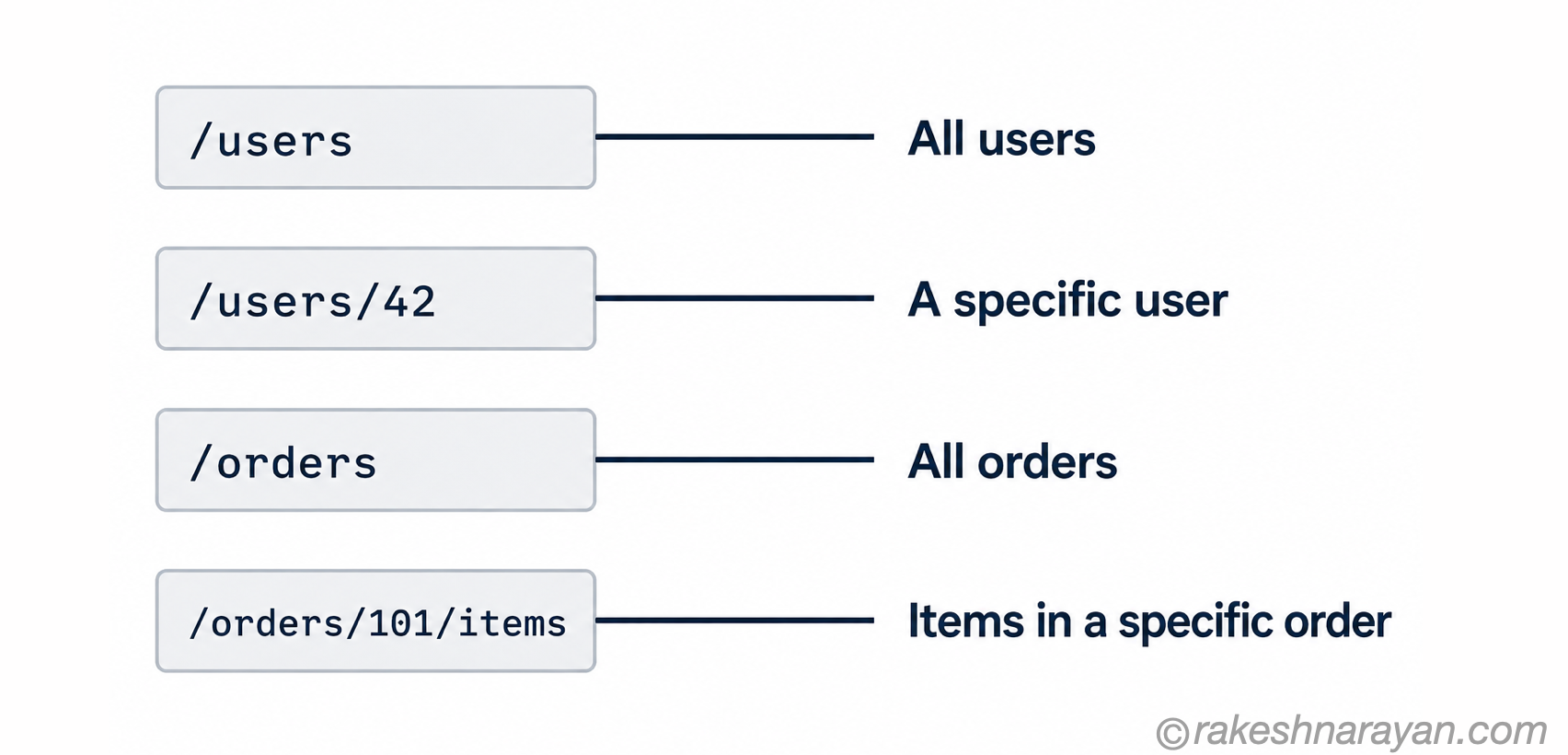
Everything in REST is a resource. A resource is any piece of information that can be named — a user, an order, a product, a document.
Each resource is identified by a URI (Uniform Resource Identifier). The URI is the address of the resource.
How to name resources well
Resource naming is one of the most impactful design decisions in a REST API. A few rules that hold universally:
| Rule | Correct | Wrong |
|---|---|---|
| Use nouns, not verbs | /orders | /getOrders |
| Use plural nouns | /users | /user |
| Use lowercase with hyphens | /order-items | /orderItems or /Order_Items |
| Nest for relationships | /users/42/orders | /getUserOrders?id=42 |
| Keep it readable | /products/shoes | /prds/cat3/sh |
HTTP methods — what action you are taking
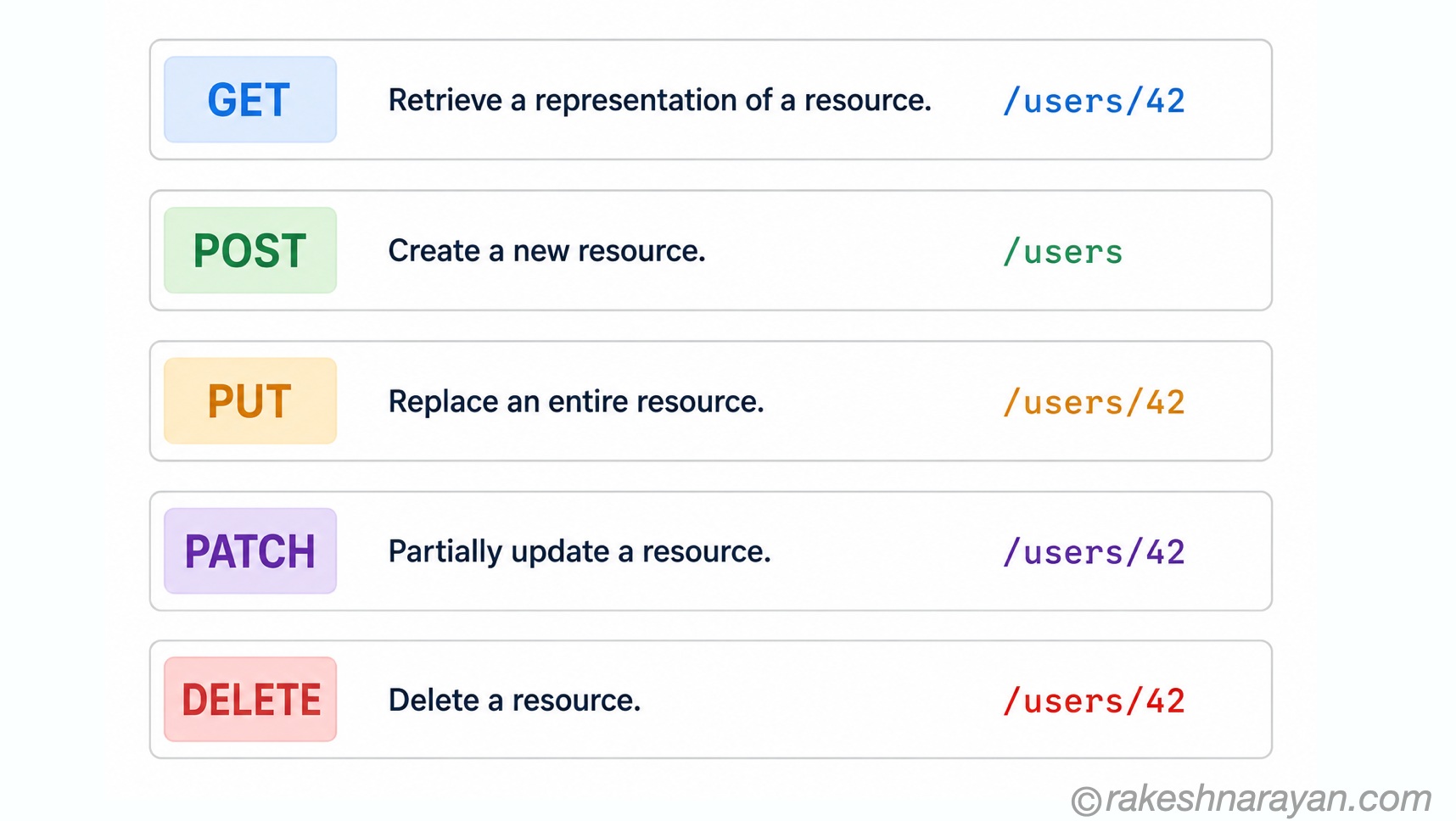
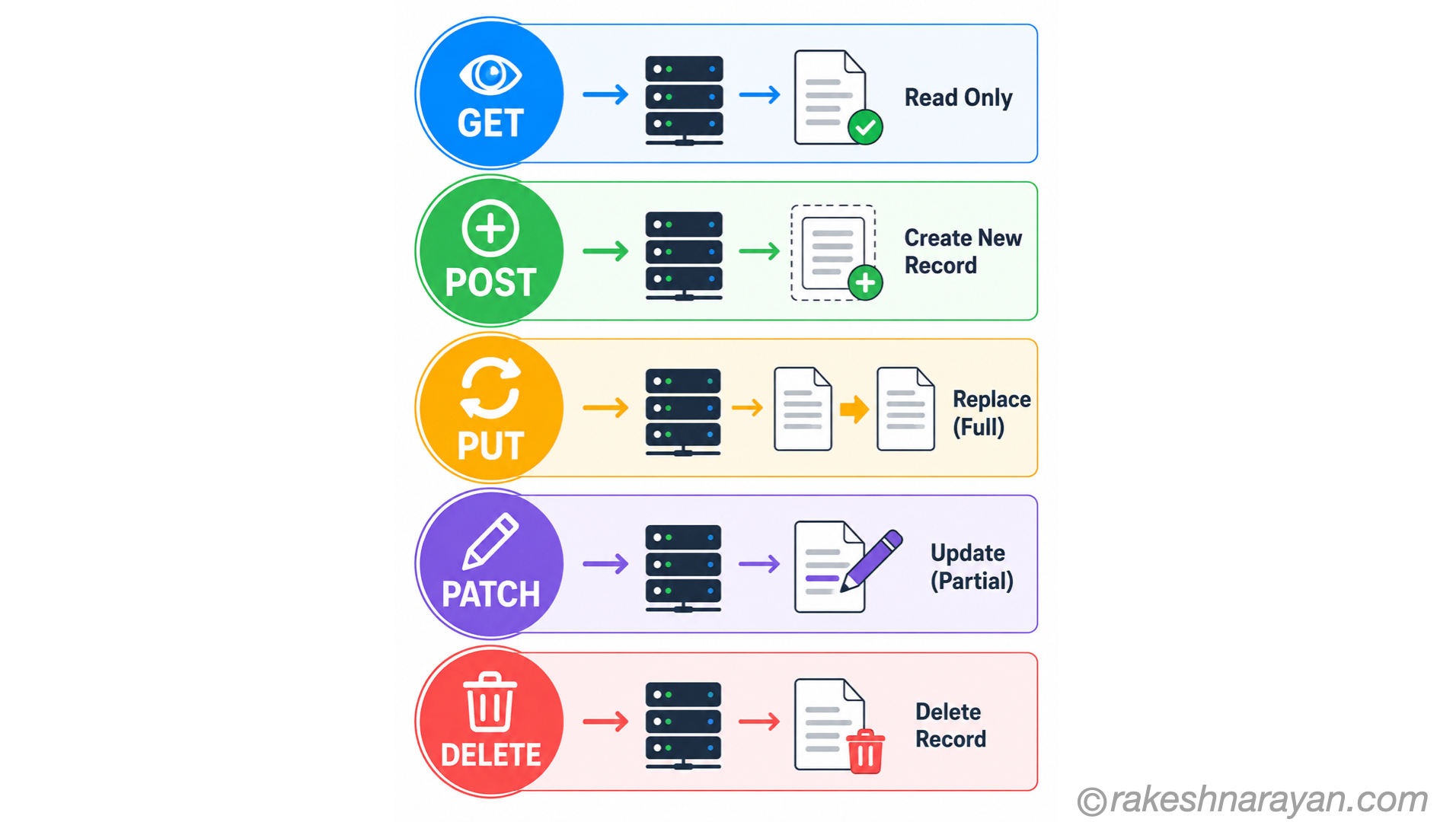
REST uses standard HTTP methods to define what you want to do with a resource. Each method has a specific, well-understood meaning.
| Method | Action | Example |
|---|---|---|
| GET | Read a resource — no changes made | GET /users/42 — fetch user 42 |
| POST | Create a new resource | POST /users — create a new user |
| PUT | Replace a resource entirely | PUT /users/42 — replace all data for user 42 |
| PATCH | Update part of a resource | PATCH /users/42 — update only the email of user 42 |
| DELETE | Remove a resource | DELETE /users/42 — delete user 42 |
Safe and idempotent methods
Two concepts that come up often in API design — worth understanding clearly.
| Concept | Meaning | Which methods |
|---|---|---|
| Safe | The request does not change anything on the server | GET |
| Idempotent | Making the same request multiple times produces the same result as making it once | GET, PUT, DELETE |
| Neither | Each call may produce a different result or create a new record | POST, PATCH |
Idempotency matters in practice because networks fail. If a client is not sure whether a request was received, it can safely retry a DELETE or PUT without worrying about creating duplicates. It cannot safely retry a POST.
Here is why this matters in practice. Imagine a user clicks Submit on a payment form. The network times out. Their browser or app retries the request. If the payment endpoint is a POST and not idempotent, the payment is charged twice. The user sees one submission; the server processed two. Idempotency is how you prevent this — either by making the operation inherently safe to repeat, or by using an idempotency key that the server uses to detect and ignore duplicate requests.
Statelessness — each request stands alone
This is one of the most important principles and the one most often misunderstood.
Stateless means: the server does not remember anything about previous requests. Every request from the client must include everything the server needs to process it — authentication token, user context, parameters, everything.
| Stateful (not REST) | Stateless (REST) |
|---|---|
| Server stores your session after login | Client sends an auth token with every request |
| Server remembers your previous step in a workflow | Client sends the current state with each request |
| Harder to scale — session must live on one server | Easy to scale — any server can handle any request |
💡 Sessions vs statelessness
Most REST APIs use tokens (like JWT) for authentication. The client stores the token and sends it with every request. The server validates it without storing any session. This is stateless — the token is the state, and it travels with the request.
HTTP status codes — what happened
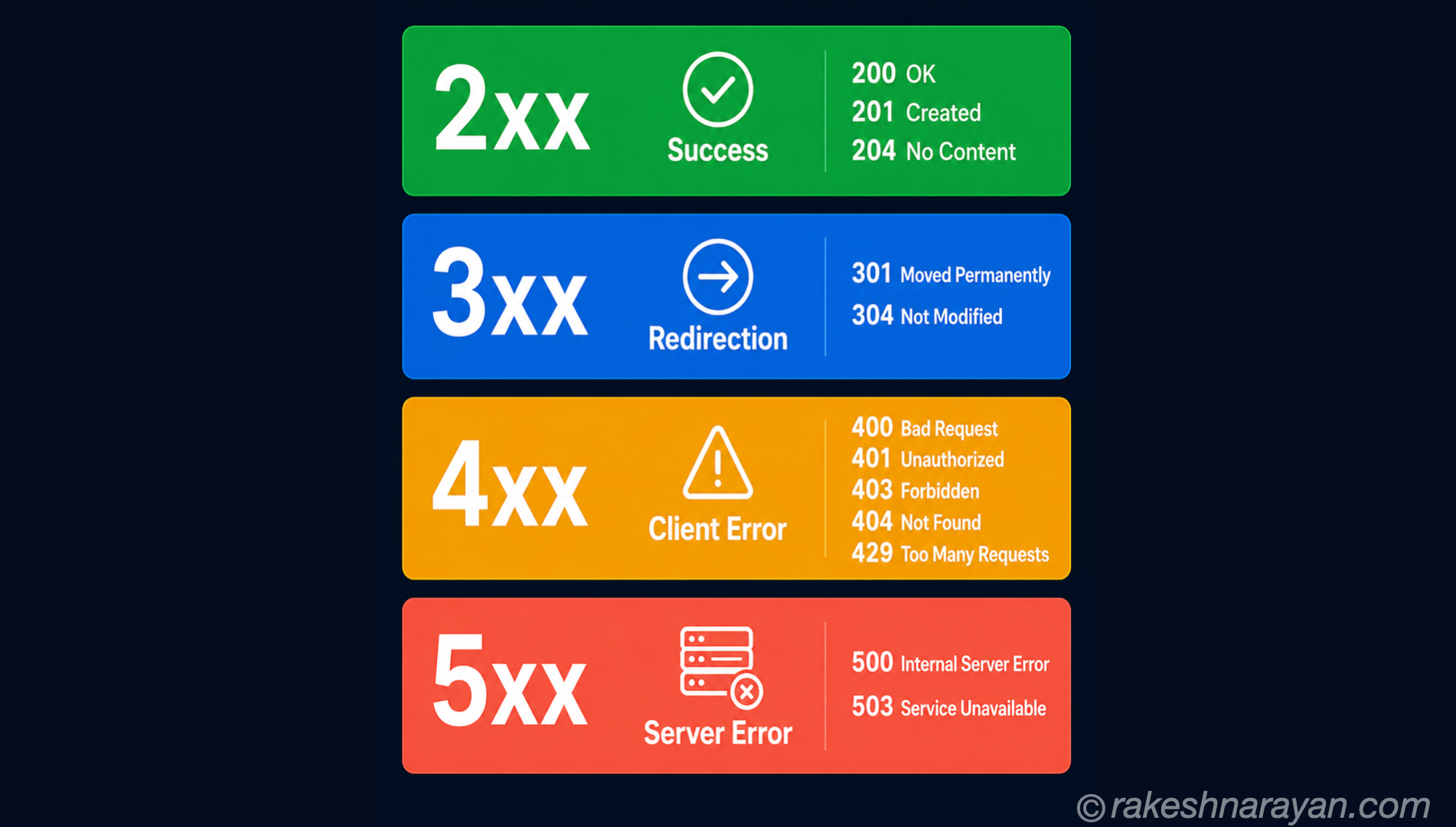
A REST API communicates the result of every request using HTTP status codes. Using them correctly is part of the uniform interface.
| Range | Meaning | Common examples |
|---|---|---|
| 2xx | Success | 200 OK, 201 Created, 204 No Content |
| 3xx | Redirection | 301 Moved Permanently, 304 Not Modified |
| 4xx | Client error — the request was wrong | 400 Bad Request, 401 Unauthorized, 403 Forbidden, 404 Not Found, 429 Too Many Requests |
| 5xx | Server error — the server failed | 500 Internal Server Error, 503 Service Unavailable |
The ones that matter most
| Code | When to use it |
|---|---|
| 200 OK | Request succeeded — return the data |
| 201 Created | A POST succeeded and a new resource was created — include the new resource URI in the response |
| 204 No Content | Request succeeded but there is nothing to return — common for DELETE |
| 400 Bad Request | The client sent something malformed or missing required fields |
| 401 Unauthorized | No valid authentication was provided |
| 403 Forbidden | Authentication is valid but the user does not have permission |
| 404 Not Found | The resource does not exist |
| 409 Conflict | The request conflicts with current state — e.g. duplicate record |
| 422 Unprocessable | Request is well-formed but fails business validation |
| 429 Too Many Requests | Rate limit exceeded |
| 500 Internal Server Error | Something went wrong on the server — do not expose internal details |
API versioning
APIs evolve. New fields get added, old ones get removed, endpoints get restructured. Versioning is how you make breaking changes without breaking existing clients.
| Approach | How it looks | Common use |
|---|---|---|
| URL versioning | /v1/users, /v2/users | Most common — simple and visible |
| Header versioning | Accept: application/vnd.api+json;version=2 | Cleaner URLs, harder to test in a browser |
| Query parameter | /users?version=2 | Less common, not recommended for public APIs |
URL versioning is the most widely used approach. It is visible, easy to document, and easy to test. The SAP OData protocol, for example, uses URL versioning — V2 and V4 are distinct service paths.
📌 When to version
Only version for breaking changes — removing a field, changing a data type, or restructuring a resource. Adding new optional fields or new endpoints does not require a new version.
A few practical principles worth knowing
Use JSON as the default format
JSON is the standard response format for REST APIs today. It is lightweight, human-readable, and supported everywhere. Always set the Content-Type header to application/json.
Design for the consumer
The people calling your API should not need to know how your database is structured. Expose resources that make sense from the consumer’s perspective, not from the internal data model.
Return meaningful error messages
A 400 Bad Request with no body is unhelpful. Always include an error body that tells the client what went wrong and ideally how to fix it.
{ “error”: “validation_failed”, “message”: “The email field is required.”, “field”: “email” }
Handle pagination for collections
Never return all records in one response. Use pagination — either page-based or cursor-based — and include metadata about total records and next page links.
The principles at a glance
| Principle | One-line summary |
|---|---|
| Resources | Everything is a named thing — identified by a URI |
| HTTP methods | GET reads, POST creates, PUT replaces, PATCH updates, DELETE removes |
| Stateless | Every request carries everything the server needs — no sessions stored |
| Status codes | Use the right code — 2xx success, 4xx client error, 5xx server error |
| Uniform interface | Same rules for every resource — predictable and consistent |
| Versioning | Version only for breaking changes — URL versioning is the simplest approach |
| Idempotency | GET, PUT, DELETE are safe to retry — POST is not |
| Error messages | Always tell the client what went wrong and why |
Why these principles last
REST principles are not tied to any language, framework, or platform. They describe how resources should behave over HTTP — and HTTP itself has been stable for decades.
Whether you are building a public API, designing an SAP BTP integration, or connecting two internal services, these principles apply. They are the common language that makes APIs predictable across teams and systems.
🔗 Related reading on this site
If you work with SAP, OData — the protocol used by SAP Fiori and BTP — is built on REST principles. OData Protocol in SAP — V2, V4 and How It Works covers how these same concepts map into the SAP world.
What Is an API? — How Software Systems Talk to Each Other — REST is one specific API style; this post covers the broader concept and where GraphQL and OData fit alongside it.
GraphQL vs REST — The Honest Decision Framework — an opinionated framework for when REST is the right call and when it genuinely isn’t.
Webhooks — Event-Driven Push vs REST API Pull — the push counterpart to everything this post covers about REST’s pull model.
Published on rakeshnarayan.com — Articles
URL: https://rakeshnarayan.com/articles/rest-api-design-principles/

Did you enjoy this article?
Let me know — it takes one click.
0 Comments
Leave a Comment
Looks like this one held your attention — I'd really appreciate a quick comment below.
Your comment has been submitted and will appear after review.