YAML — How It Works and When to Use It Over JSON
You open a Kubernetes manifest for the first time. Or a Docker Compose file. Or a GitHub Actions workflow. The file is not JSON. It is not XML. It has no brackets. Just keys, colons, and indentation. That format is YAML — and it is everywhere.
Most people pick it up by reading examples and copying patterns. That works until it doesn’t. The file breaks and the error message tells you almost nothing useful. Usually, the problem is one invisible character — a tab where a space should be — and you spend twenty minutes finding it.
This post builds the picture properly. How YAML structures data, why indentation is the only syntax rule that actually matters, and when to reach for YAML instead of JSON.
🔗 Related reading
YAML and JSON solve the same problem — representing structured data. If you want to understand JSON first (or understand why the two formats feel so different), start with JSON — From Zero to Confident . Come back here for YAML.
What YAML actually is
YAML stands for YAML Ain’t Markup Language — a deliberately recursive name that makes the point: YAML is not a markup language like HTML or XML. It is a data serialisation format. A way of representing structured data as text that humans can read and write without too much pain.
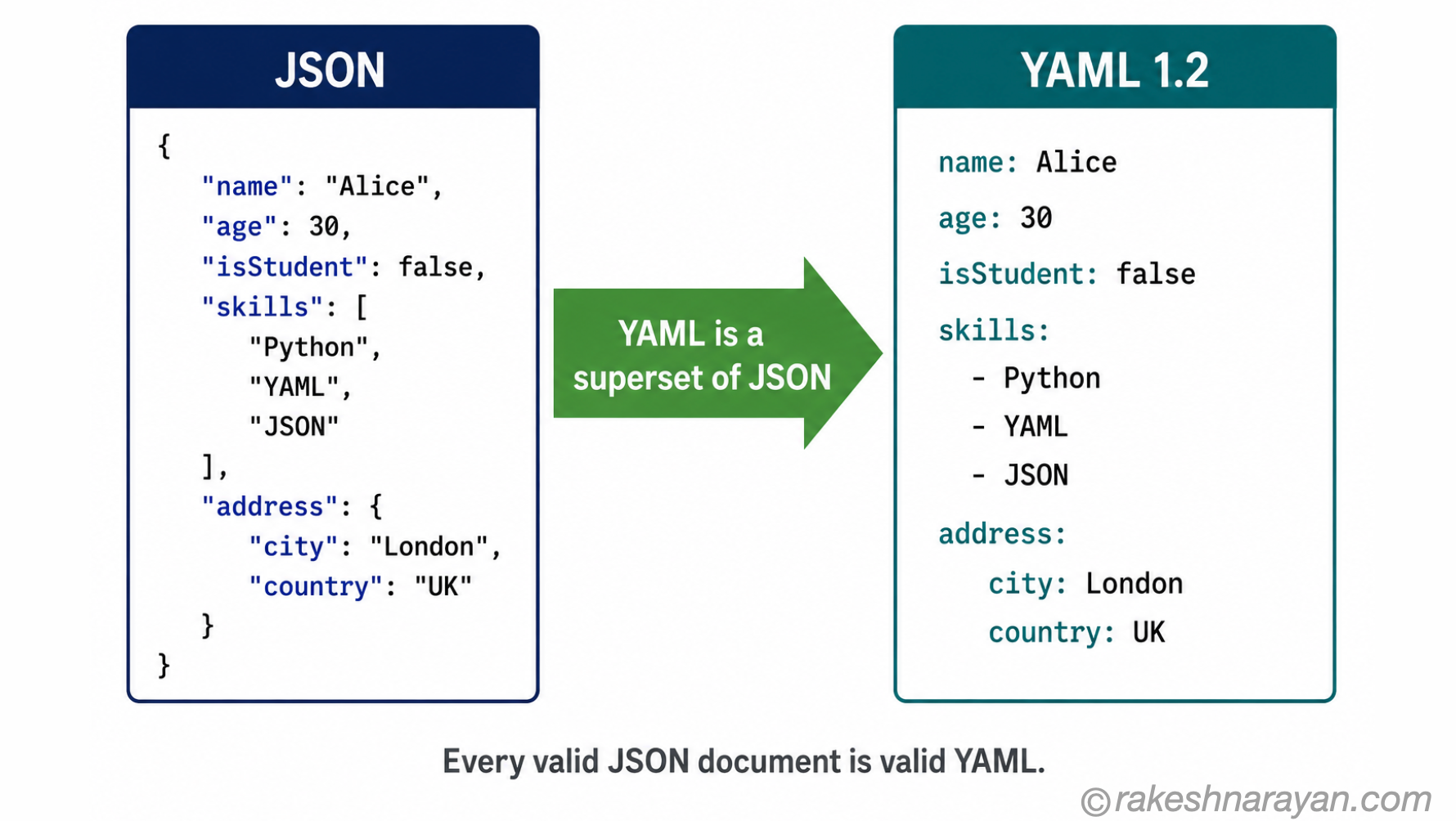
The current specification is YAML 1.2.2, published in October 2021 and still the active standard as of 2026. One important property: YAML 1.2 is a strict superset of JSON. Every valid JSON document is also a valid YAML document. The reverse is not true — YAML has features JSON does not.
YAML was designed to be written by humans, not generated by machines. That design choice explains everything about its syntax. No curly braces. No quotation marks on most values. No commas between items. Just indentation and colons.
📝 Note
YAML files use either the .yaml or .yml extension. Both are identical — it is purely a naming convention. Most tools accept either. The longer .yaml is now generally preferred.
The three building blocks
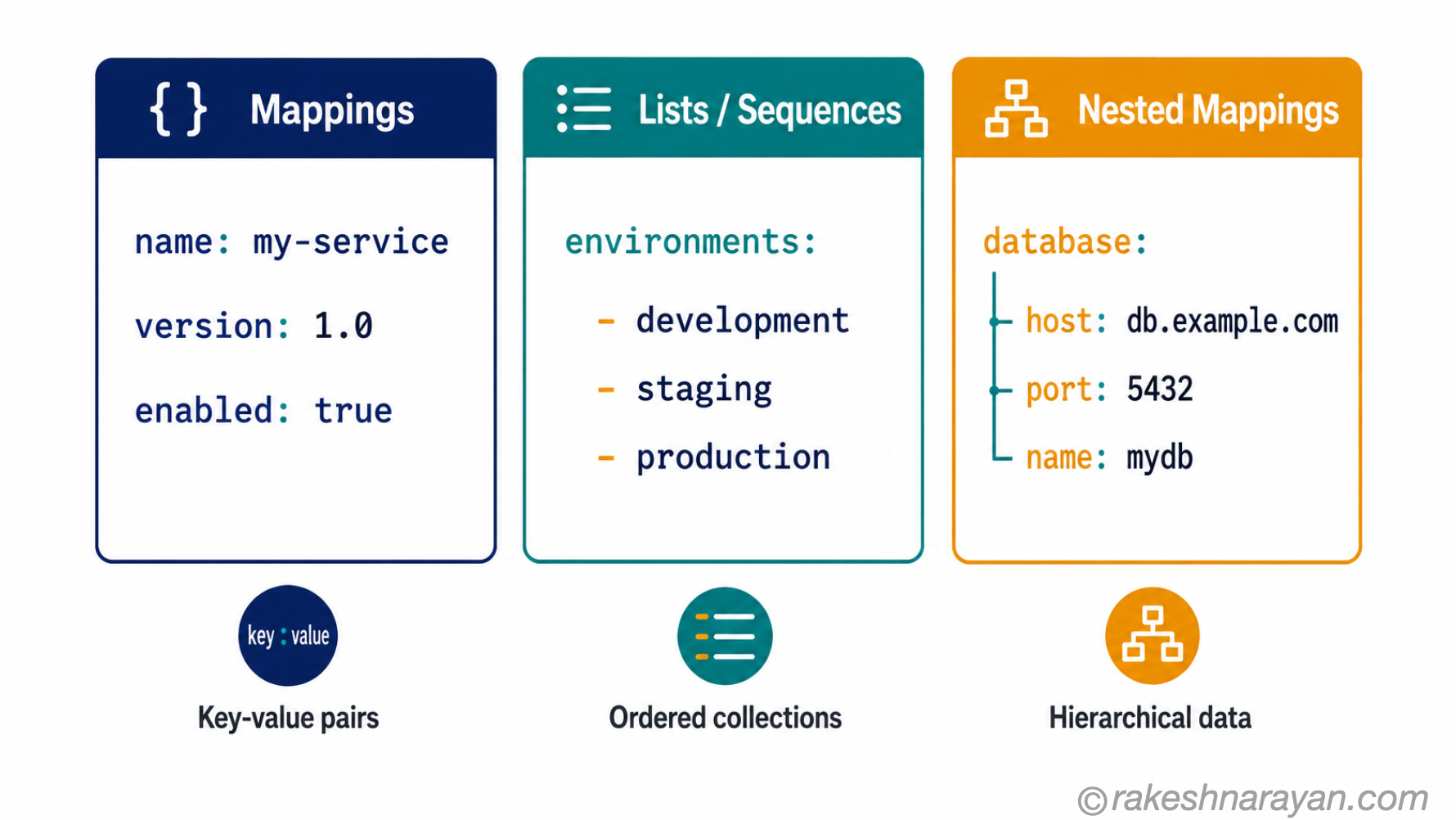
Everything in a YAML file is one of three things. Once you can identify these three structures, you can read any YAML file regardless of what tool it configures.
1. Key-value pairs (mappings)
The most basic structure. A key, a colon, a space, then the value:
name: my-service
version: 1.0
enabled: true
The colon must be followed by a space. That space is not optional. Keys are typically plain strings. Values can be strings, numbers, booleans (true/false), or null.
2. Lists (sequences)
A list uses a hyphen and a space before each item:
environments:
    - development
    - staging
    - production
Every item is at the same indentation level. The hyphen is the marker. The indentation tells YAML that these items belong to the environments key above them.
3. Nested mappings
Keys can contain other key-value pairs. Indentation defines the nesting:
database:
  host: localhost
  port: 5432
  name: production_db
The host, port and name keys belong to database. That relationship is entirely defined by indentation. There are no brackets. No closing tags. Just whitespace.
These three structures can be combined freely. A key can contain a list. A list item can contain a mapping. A mapping can be nested many levels deep. That flexibility is what makes YAML expressive enough to describe complex configurations.
The one rule that breaks everything: indentation
YAML uses indentation to define structure. That is not a quirk — it is the entire syntax. There are no brackets, no closing tags, no separators. The hierarchy of your data is defined entirely by how many spaces precede each line.
The critical rule: spaces only. Never tabs. Tabs are illegal in YAML. If a tab character appears anywhere in a YAML file, the parser will reject it with an error. Most editors insert tabs by default when you press the Tab key — this is the most common source of YAML failures.
⚠️ Warning
Configure your editor to insert spaces when you press Tab — not tab characters. In VS Code: open Settings, search for Editor: Insert Spaces and ensure it is enabled. For YAML files specifically, set Editor: Tab Size to 2. This single configuration change prevents the most common class of YAML errors.
The number of spaces does not matter as long as it is consistent within a file. Two spaces is the conventional standard. What matters is that child items are indented further than their parent, and all siblings at the same level use the same number of spaces.
When YAML breaks, the error message often tells you the line number but not the cause. If the parser reports an unexpected token or a mapping error, the first thing to check is always indentation. Specifically: look for any tab characters. A linting tool like yamllint will catch these instantly.
💡 Practical Tip
Before debugging a YAML error manually, run yamllint (available via pip or brew) or paste the file into yamllint.com . It identifies the exact line and character of the problem, including invisible tab characters that are impossible to spot by eye.
Reading an unfamiliar YAML file
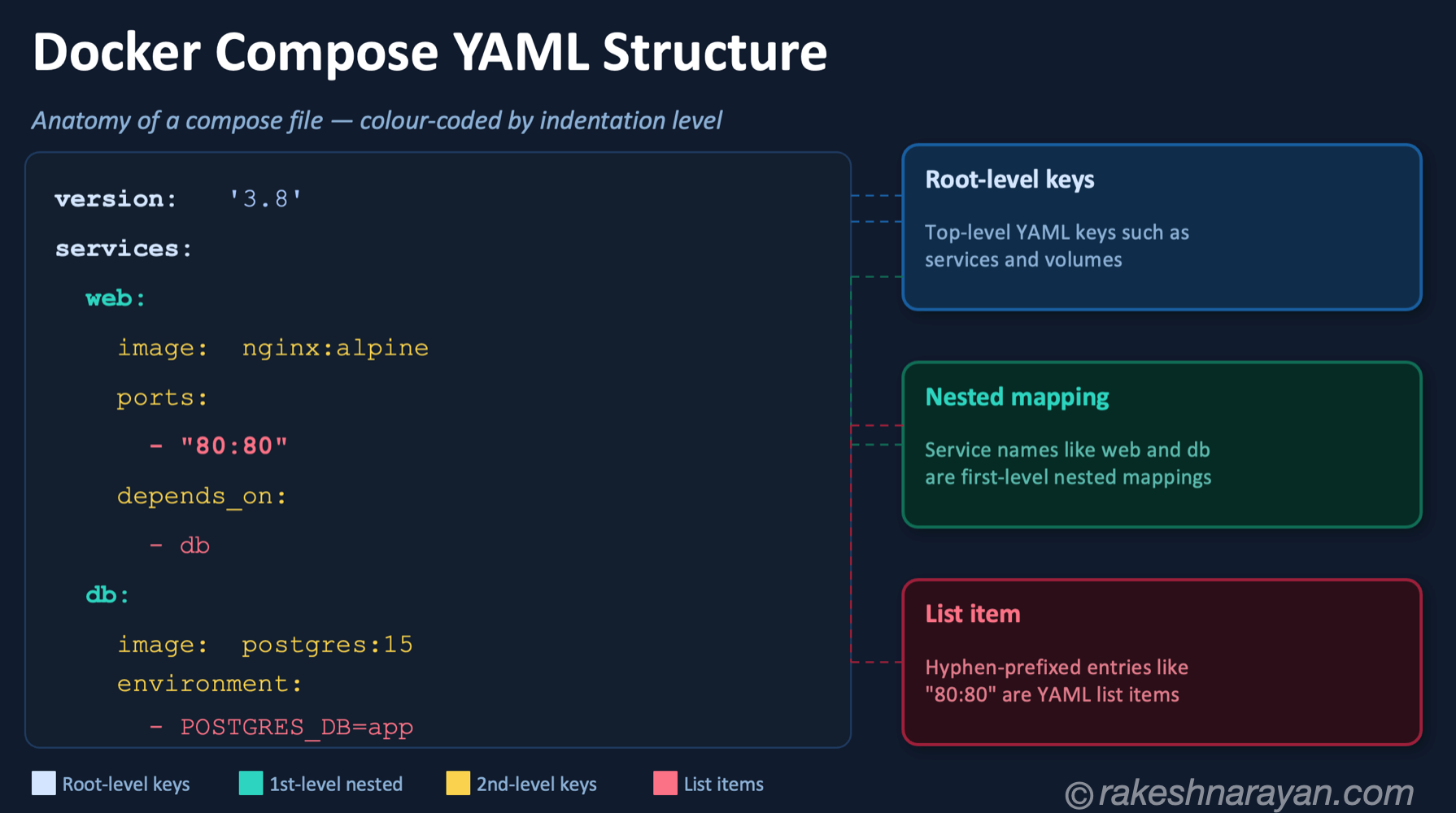
When you open a YAML file you have never seen before, the structure is always the same even if the content is not. Here is a real-world Docker Compose file:
📝 Note
The version key was removed from the Compose Specification in Docker Compose v2. Modern Compose files start directly with services: — no version line needed. The example below reflects the current standard.
services:
  web:
    image: nginx:latest
    ports:
      - "80:80"
    environment:
      - APP_ENV=production
  db:
    image: postgres:17
    volumes:
      - db_data:/var/lib/postgresql/data

volumes:
  db_data:
Read it top to bottom, using indentation as your guide:
- services: a key whose value is a nested mapping — it contains two child keys: web and db
- web: a nested mapping with its own keys — image, ports, environment
- ports: a list — the hyphen tells you
- environment: another list
- volumes: a key at the root level with a child mapping The rule is consistent: indentation is hierarchy. If something is indented further, it belongs to the key above it. If two keys are at the same indentation level, they are siblings.
YAML vs JSON — when to use each
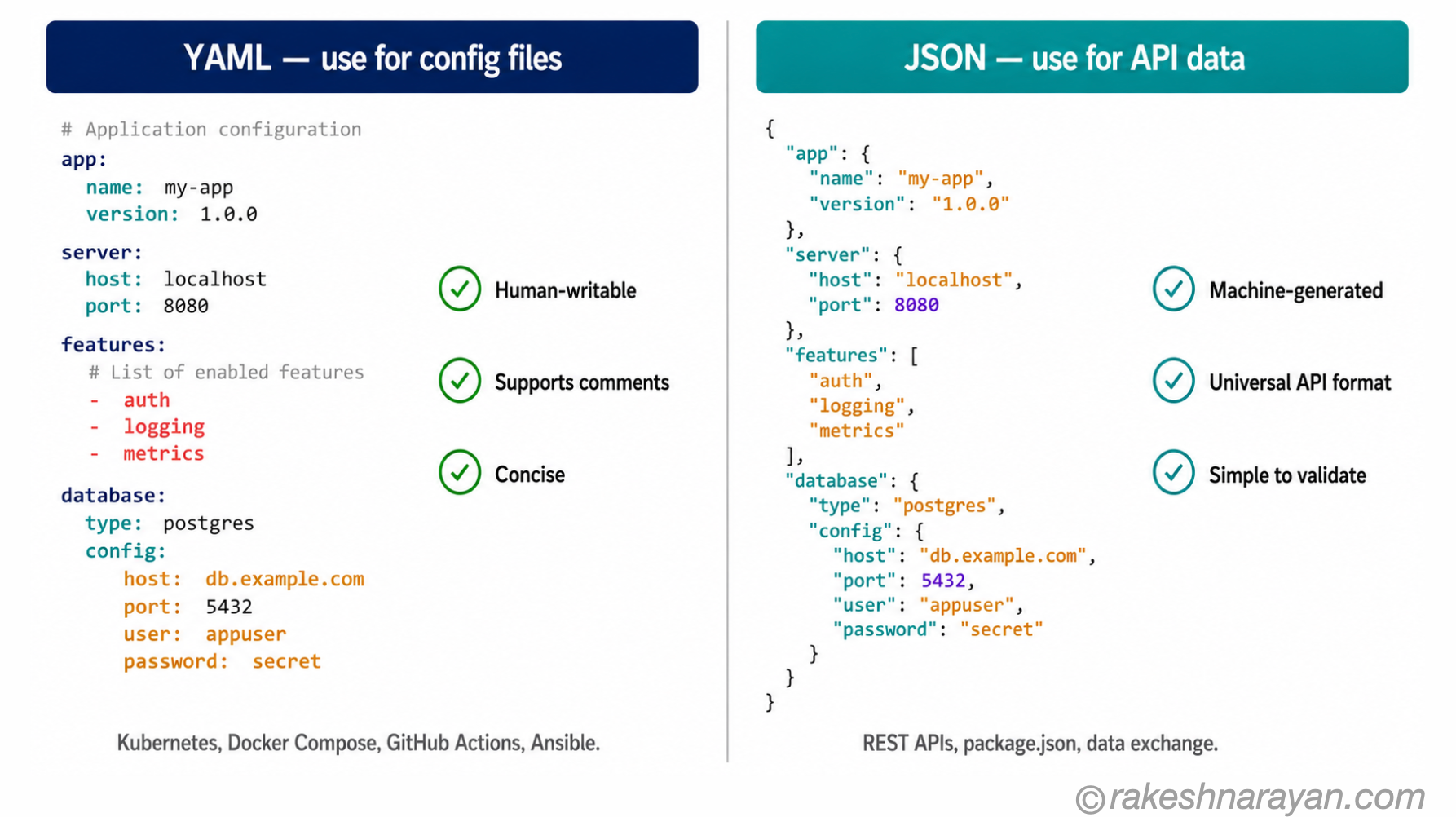
YAML and JSON represent the same data. You can convert between them losslessly (with one exception — comments, which JSON does not support). So the choice is not about capability. It is about context.
| YAML | JSON | |
|---|---|---|
| Human writability | High — no brackets, minimal punctuation | Low — brackets, quotes and commas required everywhere |
| Comments | Supported — lines starting with # | Not supported |
| Verbosity | Concise — same data takes fewer characters | More verbose for the same structure |
| Machine generation | Works, but unusual | The standard choice — easy to generate programmatically |
| API data exchange | Rarely used | The dominant format — virtually every API uses JSON |
| Config files | The dominant format — Kubernetes, Docker, GitHub Actions, Ansible | Used in some tools (package.json, tsconfig.json) but less common |
| Parsing safety | More complex parsers with more edge cases | Simple, predictable, widely validated |
| Whitespace sensitivity | Yes — indentation is syntax | No — whitespace is ignored |
The practical rule: Use YAML for files that humans write and maintain. Use JSON for data that machines generate, transmit and consume.
A Kubernetes manifest is written by a developer, committed to a repository, and read by a human during review. YAML is the right choice. An API response from a REST endpoint is generated by a server and consumed by a client application. JSON is the right choice.
⚠️ Warning — the boolean gotcha
In YAML 1.1 (the older spec), the values yes, no, on and off were automatically interpreted as booleans. In YAML 1.2 (current), they are plain strings. Many tools — including older versions of Kubernetes tooling and some Python libraries — still behave like YAML 1.1 on this point. If a config value is not being read as you expect, check whether it is an unquoted yes/no/on/off. Quote the value ( “yes” ) to force it to be treated as a string.
Where you will encounter YAML
YAML is the dominant format for DevOps and infrastructure configuration. If you work with any of the following tools, you are already writing YAML — or you will be:
| Tool | YAML file | What it configures |
|---|---|---|
| Kubernetes | *.yaml manifests | Deployments, services, config maps, ingress rules — every resource |
| Docker Compose | compose.yaml | Multi-container application definitions and networking |
| GitHub Actions | .github/workflows/*.yml | CI/CD pipeline steps, triggers and environment configuration |
| Ansible | playbooks/*.yaml | Server provisioning and automation task sequences |
| Helm | values.yaml | Parameterised Kubernetes chart configuration |
| SAP BTP | mta.yaml | Multitarget Application (MTA) module and resource definitions for Cloud Foundry deployments |
📌 Key Takeaway
On SAP BTP, the mta.yaml file is the development descriptor for every Multitarget Application deployed to Cloud Foundry. It defines modules, resources and the dependencies between them. If you work on SAP BTP, you write YAML. Understanding the format properly — especially indentation — saves real time when deployments fail.
At a glance — YAML essentials
| Concept | One-line summary |
|---|---|
| YAML | A human-readable data serialisation format — designed for config files, not data exchange |
| YAML 1.2.2 | The current specification (October 2021) — a strict superset of JSON |
| Mapping (key-value) | The basic unit: key: value — colon followed by a space |
| Sequence (list) | A list of items — each item preceded by a hyphen and a space |
| Nested mapping | A key whose value is another set of key-value pairs — defined by indentation |
| Indentation | The only structural syntax rule — spaces define hierarchy, tabs are illegal |
| Comments | Lines starting with # — supported in YAML, not in JSON |
| YAML vs JSON | YAML for human-written config files; JSON for machine-generated API data |
| Boolean gotcha | yes/no/on/off are strings in YAML 1.2 but booleans in YAML 1.1 — quote them to be safe |
| mta.yaml (SAP BTP) | The Multitarget Application development descriptor on SAP BTP Cloud Foundry — written in YAML |
What to take away
YAML’s minimalism is also its trap. The absence of brackets and quotes makes files easy to read — until something breaks and you realise how much that invisible indentation was doing. One tab character in the wrong place, and the parser gives you an error message that tells you nothing about what went wrong or where.
The mental shift that makes YAML reliable: treat indentation as syntax, not formatting. In most languages, you indent for readability. In YAML, you indent to define structure. Change the indentation and you change the data. Move a key two spaces to the left and it is now at a different level in the hierarchy.
Once that clicks, YAML stops being frustrating. The format is consistent and predictable. It just requires a different kind of precision than most file formats — spatial rather than punctuation-based.
🔗 Related posts on this site
JSON — From Zero to Confident — YAML is a superset of JSON. Understanding JSON first makes YAML click faster.
How Kubernetes Works — The Mental Model — Kubernetes is configured entirely in YAML. This post explains the Kubernetes concepts behind the manifests you write.
Docker and Containers — The Why — Docker Compose uses YAML. The concepts in this post explain what the docker-compose.yaml file is actually configuring.
Git — The Mental Model — YAML appears in every CI/CD pipeline committed to a Git repository. GitHub Actions workflows are YAML files that live in your Git repo.
XML — What It Is and Where SAP Still Uses It — the older, more verbose data format YAML and JSON have largely replaced outside SAP — this post covers where it still survives.
Published on rakeshnarayan.com — Articles
https://rakeshnarayan.com/articles/yaml-how-it-works-and-when-to-use-it-over-json/

Did you enjoy this article?
Let me know — it takes one click.
0 Comments
Leave a Comment
Looks like this one held your attention — I'd really appreciate a quick comment below.
Your comment has been submitted and will appear after review.