SAP LeanIX — Enterprise Architecture Management
Most large SAP landscapes have a problem nobody wants to admit: nobody has a single, accurate picture of what is running where, what depends on what, and which systems are quietly heading towards end-of-life. You have the CMDB in one place, the project portfolio in another, the technical roadmap in a PowerPoint that was accurate eighteen months ago. When a transformation decision needs to be made, somebody spends three weeks pulling data together — and it is still not quite right.
SAP LeanIX exists to fix that. It is a cloud-based enterprise architecture management platform that gives organisations a continuously updated, structured view of their IT landscape. SAP completed the acquisition of LeanIX in November 2023, making it a core part of the SAP Business Transformation Suite alongside SAP Signavio and SAP Cloud ALM.
This post explains how LeanIX actually works — the concepts behind it, where it sits in the SAP toolchain, and what goes wrong when organisations deploy it without the right discipline.
🔗 Related Reading
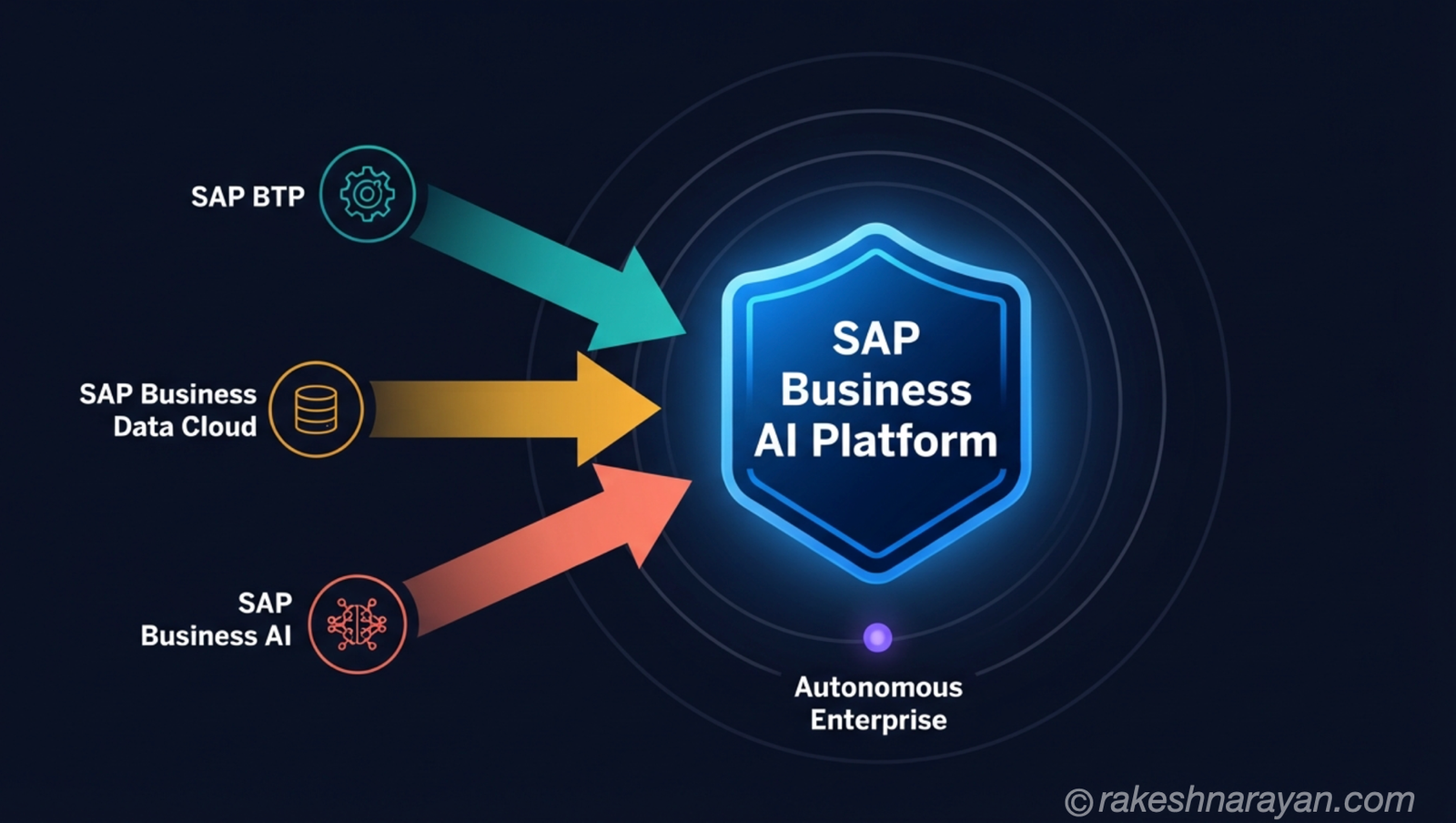
If you are newer to the SAP landscape, SAP BTP — The Platform Explained gives useful context on how SAP’s cloud infrastructure is structured. AI in SAP: How Joule and Business AI Actually Work covers SAP’s AI layer — which connects directly to how LeanIX uses AI for landscape insights.
What SAP LeanIX actually is
LeanIX is not a project management tool. It is not a CMDB. It is not a process modelling tool. Those distinctions matter because enterprises frequently try to use it as one of those things and then wonder why it does not quite work.
LeanIX is a platform for documenting, visualising and analysing your IT landscape — the applications you run, the business capabilities they support, the technology they are built on, and the initiatives you are running to change all of the above. The output is not a static diagram. It is a set of live, queryable reports that tell you things like: which applications support a given business capability, which systems are running on technology that reaches end-of-life in 2027, and what would be impacted if you decommissioned a given integration.
LeanIX has consistently ranked as a leading platform in enterprise architecture tooling — which is a core part of why SAP acquired it. More practically: it has become the tool of choice for managing RISE with SAP transformation programmes, where the complexity of moving an entire ERP landscape to the cloud makes the lack of a structured IT map genuinely dangerous.
The problem it solves — flying blind in a complex landscape
Enterprise IT landscapes are not designed. They accumulate. Twenty years of acquisitions, migrations, quick fixes and abandoned modernisation projects produce an environment where nobody fully understands what is connected to what.
The consequences are real. A decommissioning project that misses a dependency causes an outage. An S/4HANA transformation that does not account for all the integrations feeding into ECC takes twice as long as planned. A technology risk review that cannot tell you which systems are running on unsupported software leaves the organisation exposed.
The underlying issue is always the same: decisions are being made about a landscape that has not been properly mapped. LeanIX’s job is to produce and maintain that map — not as a one-off exercise, but as a living, continuously updated picture.
📌 Key Takeaway
The value of LeanIX is not the initial mapping exercise. It is the ongoing maintenance of an accurate picture — which only works if data ownership is established from day one.
How LeanIX works — fact sheets, the meta model and reports
Everything in LeanIX starts with a fact sheet. A fact sheet is a structured record for one element of your IT landscape — an application, a business capability, an IT component, an initiative. Think of it as a card that holds all the relevant information about that element, plus its relationships to other elements.
The relationships are where it gets powerful. An Application fact sheet links to the Business Capabilities it supports, the IT Components it runs on, and the Initiatives that plan to change it. Those links are what generate the reports. The reports do not require manual maintenance — they are derived automatically from the fact sheet data and the relations between them.
The meta model — the structure behind it all
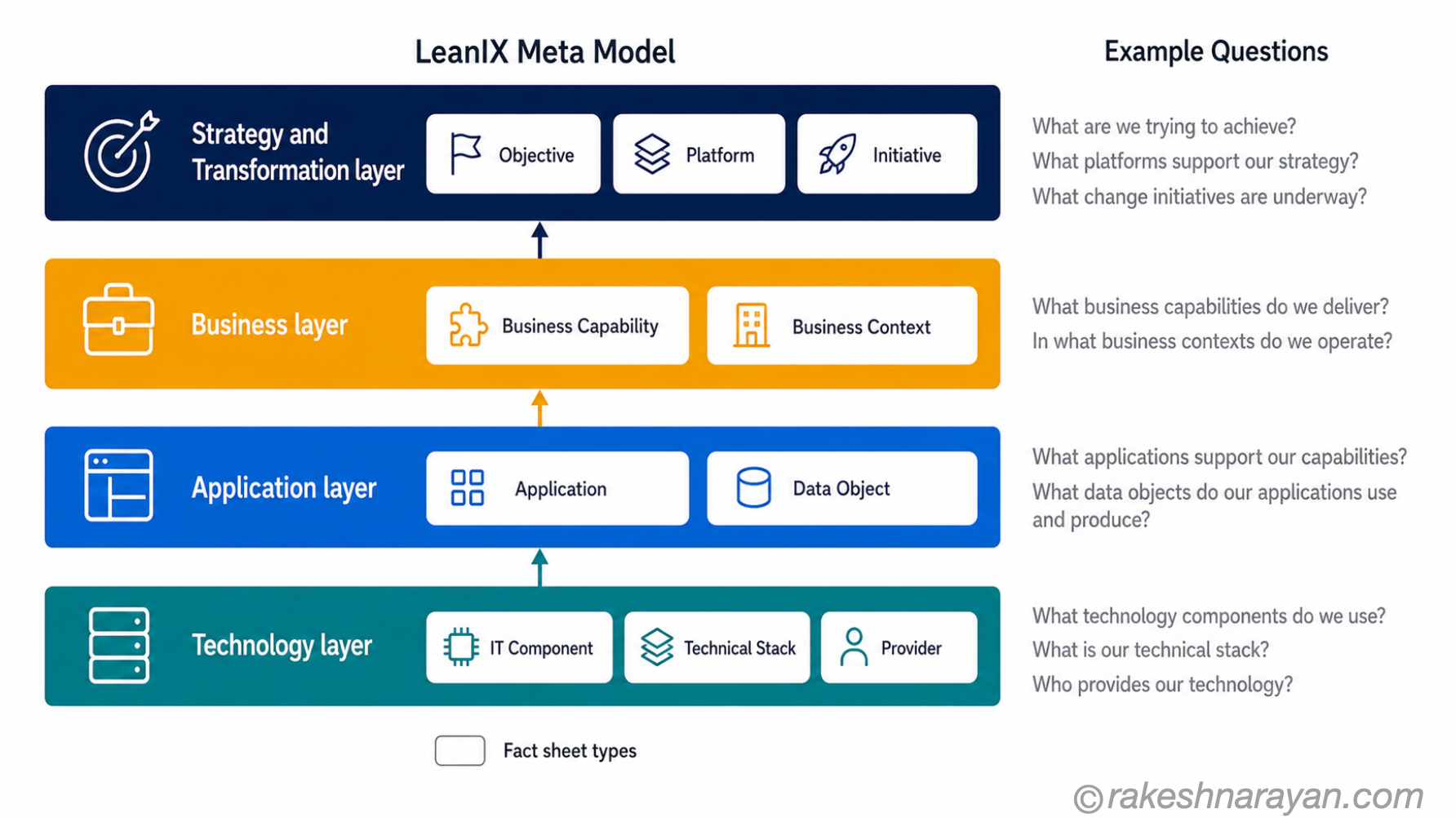
The meta model defines what fact sheet types exist, what fields they have, and how they can relate to each other. LeanIX ships a best-practice meta model with 12 default fact sheet types organised into architecture layers. New customers get the current reference model, which can be customised from there.
| Layer | Fact sheet types | What it captures |
|---|---|---|
| Strategy & Transformation | Objective, Platform, Initiative | Business goals, technology platforms and active transformation programmes |
| Business | Business Capability, Business Context | What the organisation does, organised by capability rather than by department |
| Application | Application, Data Object | The software systems in use and the data they manage |
| Technology | IT Component, Technical Stack, Provider | Infrastructure, software components, vendors and their lifecycle status |
The layers are conceptual — they do not impose technical separation. They structure your architecture from business strategy down to technical execution, so that a question like ‘what technology do we need to upgrade to support this business capability?’ can be answered by traversing the linked fact sheets.
💡 Practical Tip
LeanIX allows you to customise the meta model — add fields, create subtypes, adjust relations. Resist the urge to customise heavily at the start. The default meta model reflects best practices from over 1,000 customer deployments. Get value from the standard model first, then customise based on genuine gaps.
Where LeanIX sits in the SAP toolchain
This is the context most posts skip — and it is the context that matters most for SAP projects.
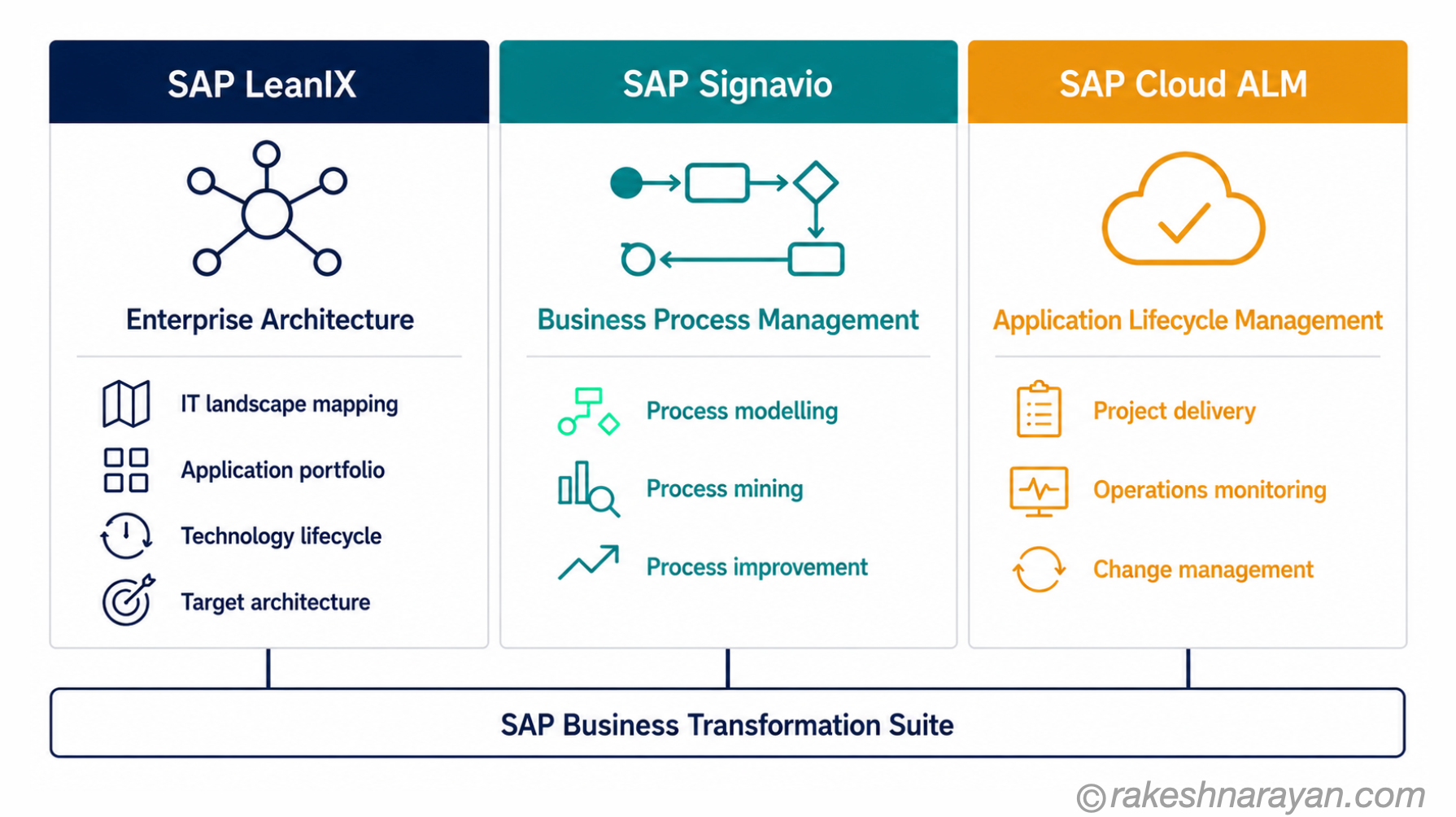
SAP’s Business Transformation Suite combines three tools: SAP LeanIX, SAP Signavio and SAP Cloud ALM. Each owns a distinct domain. Understanding the division prevents the common mistake of expecting one tool to do the job of all three.
| Tool | What it owns | Primary question it answers |
|---|---|---|
| SAP LeanIX | Enterprise architecture — the IT landscape, application portfolio, technology lifecycle | What do we have, what does it support, and what is at risk? |
| SAP Signavio | Business process management — process modelling, mining and improvement | How do our business processes actually work, and where are the inefficiencies? |
| SAP Cloud ALM | Application lifecycle management — project delivery, operations monitoring, change management | Are our SAP systems running correctly, and are our projects on track? |
In a RISE with SAP programme, the three tools work together. LeanIX maps the current-state architecture and defines the target state. Signavio models and optimises the business processes that will run on the new landscape. Cloud ALM manages the delivery and operations of the SAP cloud systems being deployed.
LeanIX integrates directly with both — pulling system data from Cloud ALM via SAP landscape discovery, and linking architecture objects to the process models maintained in Signavio. The integration is not automatic out of the box. It requires deliberate configuration and a shared meta model across all three tools.
🔗 Related Reading
The integration patterns between SAP systems — including how LeanIX fits into a broader SAP integration landscape — are covered in SAP Integration Patterns — The Decisions That Matter.
What you can actually do with it — the four core use cases
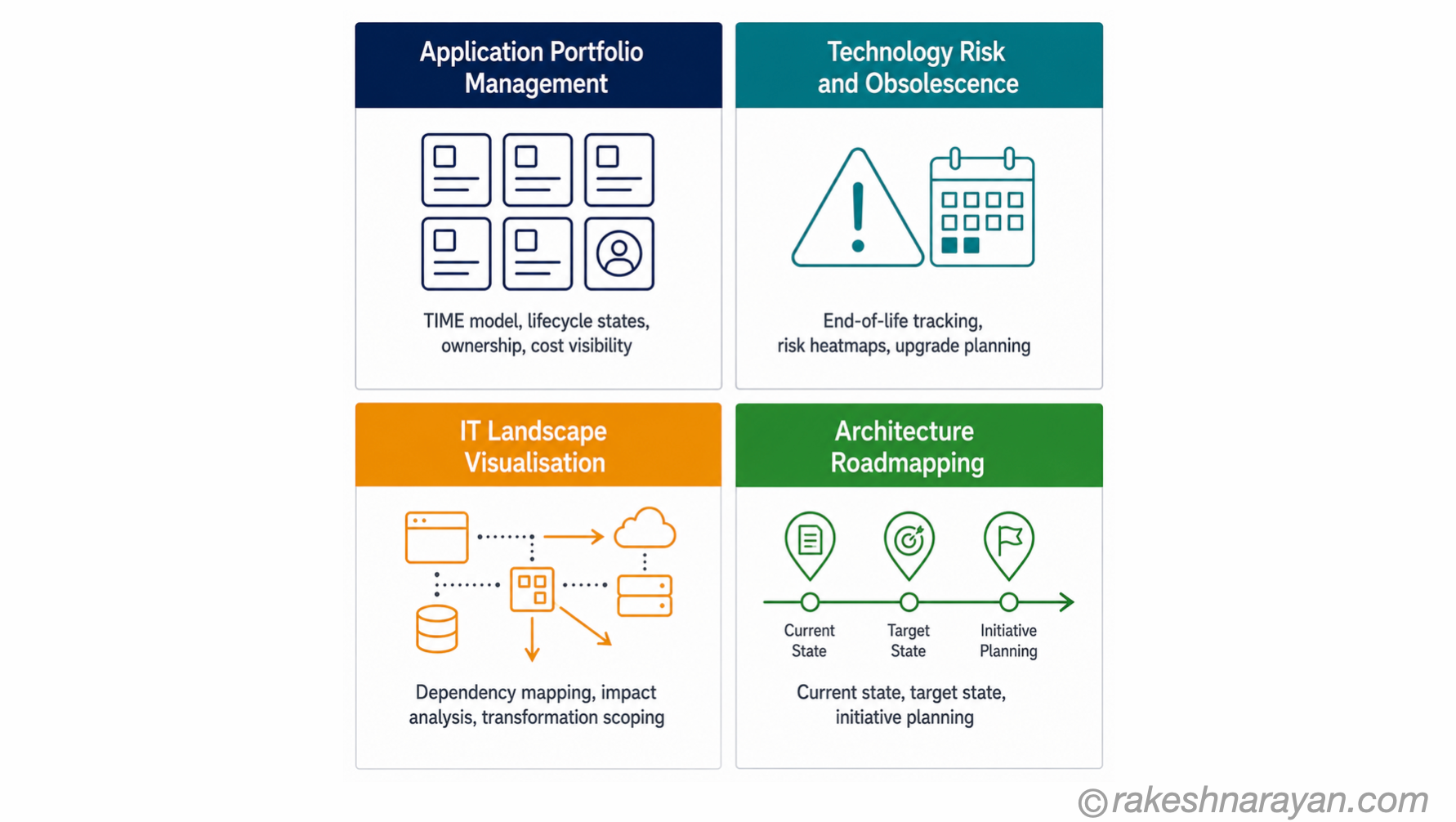
1. Application portfolio management
LeanIX gives you a structured view of every application in the landscape — what it does, who owns it, what lifecycle state it is in, and what it costs. The TIME model (Tolerate, Invest, Migrate, Eliminate) is built into the platform and lets you categorise your application portfolio and communicate rationalisation decisions clearly.
For SAP customers, this is where RISE with SAP transformations typically start — understanding the full scope of what needs to move, what can be decommissioned, and what integrations need to be redesigned.
2. Technology risk and obsolescence tracking
Every IT Component fact sheet has a lifecycle status. LeanIX tracks end-of-support and end-of-life dates for technology components and surfaces which applications are running on technology that is at risk. This is genuinely useful — it turns a question that normally requires a manual audit into a live report.
For SAP specifically: tracking which systems are still running on ECC ahead of the 2027 mainstream maintenance deadline, and what depends on them, is a direct use case.
3. IT landscape visualisation for transformation programmes
When you are planning a major transformation — a cloud migration, an S/4HANA move, a business unit merger — you need to understand the impact of changes before you make them. LeanIX generates impact reports automatically from the relations in the fact sheets: change this application, see everything that is connected to it.
4. Architecture roadmapping
Initiative fact sheets let you model future-state architecture changes alongside the current state. You can show a roadmap of what the landscape will look like at each stage of a transformation programme — which systems are being decommissioned, which are being introduced, and how the target architecture differs from today.
Where LeanIX goes wrong in practice
I have seen LeanIX succeed in organisations and I have seen it become expensive shelfware. The difference is never the tool. It is always the data discipline around it.
LeanIX is only as good as the fact sheets in it. If the Application fact sheets are incomplete, out of date, or maintained by nobody, the reports are wrong. And wrong reports are worse than no reports — because people make decisions based on them.
⚠️ Warning
The most common LeanIX failure mode: a consulting team builds the initial fact sheet inventory during an implementation project, the project ends, and nobody is assigned to maintain it. Six months later the data is stale, trust collapses, and the tool is abandoned. Data ownership must be established before go-live — not after.
Three things that determine whether LeanIX succeeds:
- Data ownership — every fact sheet type needs an assigned owner who is responsible for keeping it current. Application fact sheets should be owned by application owners, not by the EA team.
- Integration with discovery tools — manually maintained fact sheets decay. Connecting LeanIX to SAP Cloud ALM for automatic SAP system discovery, and to ServiceNow or GitHub for broader IT asset data, removes the manual burden and keeps the data live.
- Scope discipline — trying to capture everything in the meta model before you have established the practice is the fastest route to a failed deployment. Start with applications and business capabilities. Add IT components and initiatives once the core model is stable.
✅ Best Practice
Run a focused pilot: one business unit, one transformation programme, one technology risk report that stakeholders actually care about. Prove the value of live, accurate architecture data before scaling the model across the full landscape.
At a glance — SAP LeanIX
| Concept | One-line summary |
|---|---|
| SAP LeanIX | A SaaS enterprise architecture management platform for visualising, analysing and governing IT landscapes |
| Acquisition | SAP completed the acquisition of LeanIX in November 2023 as part of the Business Transformation Suite |
| Fact sheet | The primary object in LeanIX — a structured record for one element of the IT landscape and its relations to others |
| Meta model | The structure that defines what fact sheet types exist, their fields and how they relate — ships with 12 default types |
| Architecture layers | Strategy & Transformation, Business, Application and Technology — the four conceptual layers in the meta model |
| TIME model | Tolerate, Invest, Migrate, Eliminate — a built-in framework for categorising and rationalising the application portfolio |
| SAP Business Transformation Suite | LeanIX (architecture) + SAP Signavio (processes) + SAP Cloud ALM (operations) — three tools, three distinct domains |
| SAP landscape discovery | Automated detection of SAP systems via SAP Cloud ALM — removes the need to manually maintain SAP application fact sheets |
| ECC 2027 use case | Tracking which systems depend on ECC ahead of mainstream maintenance end-of-life — a direct LeanIX use case |
| The failure mode | Stale fact sheets with no owner — data quality collapse that turns the tool into shelfware within months of go-live |
What to take away
LeanIX is not a documentation tool. The instinct in most organisations is to treat it as one — a place to record the architecture so that it is written down somewhere. That instinct produces the failure mode described above: a carefully maintained inventory that nobody trusts six months after it was built.
The organisations that get value from LeanIX treat it as a decision-support system. The question is not ‘have we documented our applications?’ The question is ‘can we answer the question we need to answer right now — which systems are at risk, what would be impacted by this change, what does the target architecture look like in 2027?’ When the tool is used to answer live questions, the data stays live too — because the answers matter to somebody.
For SAP projects specifically, the timing is right. The S/4HANA vs ECC decision is forcing organisations to understand their landscapes in a way they have avoided for years. LeanIX does not make that conversation easier. It makes it honest.
🔗 Related Posts on This Site
SAP S/4HANA vs ECC — The Real Difference — the transformation decision that makes understanding your application landscape non-negotiable.
SAP BTP — The Platform Explained — BTP is where SAP AI Core, Cloud ALM and LeanIX integrations run in the cloud.
AI in SAP: How Joule and Business AI Actually Work — SAP LeanIX uses AI to generate landscape insights and rationalisation recommendations.
SAP Integration Patterns — The Decisions That Matter — mapping your integrations in LeanIX is one of the first steps in any RISE with SAP transformation scoping.
Published on rakeshnarayan.com — Articles
https://rakeshnarayan.com/articles/sap-leanix-enterprise-architecture-management/
Did you enjoy this article?
Let me know — it takes one click.
0 Comments
Leave a Comment
Looks like this one held your attention — I'd really appreciate a quick comment below.
Your comment has been submitted and will appear after review.