CI/CD — From Code Commit to Live in Production
Before CI/CD, shipping software was an event. Teams merged weeks of parallel work in one sitting, watched it break in spectacular ways, and spent days untangling the damage. There was a name for it — integration hell. Every release felt like a gamble.
CI/CD is the answer to that problem. Not a tool — a practice. A way of building, testing and deploying software in small, frequent, automated steps so that the risk of any single change stays small. Done well, it turns shipping from an event into a routine.
If you have ever worked on a project where deployments were feared rather than expected, this is the post for you. And if you already know the term but cannot cleanly separate continuous integration from continuous delivery from continuous deployment — that distinction is in here too.
🔗 Foundation posts
CI/CD builds on version control as its starting point. Git — The Mental Model explains commits, branches and the repository structure that CI pipelines watch. Docker and Containers — The Why covers the container-based builds that most modern CI pipelines produce.
What CI/CD actually is
CI/CD stands for Continuous Integration and Continuous Delivery — or Continuous Deployment, depending on context. The two halves solve different parts of the same problem: how do you move code from a developer’s machine to production reliably and quickly?
Continuous Integration handles the first part. Every time a developer pushes code, the pipeline automatically builds it and runs the tests. The goal is to catch problems immediately — before they compound with other changes. Small merges, often.
Continuous Delivery and Continuous Deployment handle the second part. Once code passes integration, the pipeline packages it and either hands it to a deployment process or deploys it automatically. The goal is to keep software permanently ready to ship.
📌 Key takeaway
CI is about merging safely. CD is about deploying reliably. They solve consecutive problems — and they only work well when both are in place.
The three terms — and why people confuse them
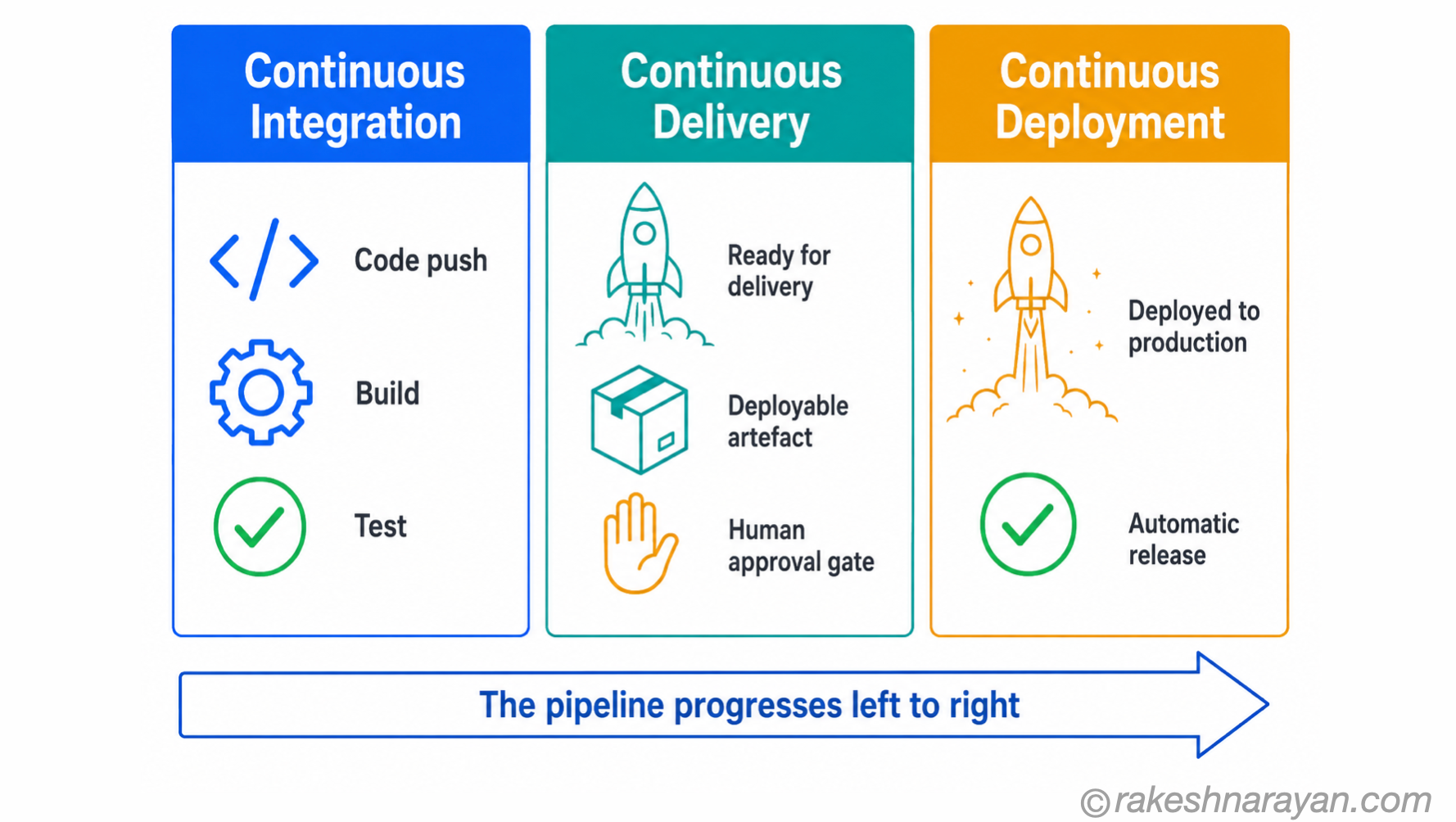
This is where most explanations lose people. CI/CD is actually three distinct practices, and the abbreviation collapses them into two letters in a way that hides the important distinction between Continuous Delivery and Continuous Deployment.
| Term | What it does | The key point |
|---|---|---|
| Continuous Integration (CI) | Automatically builds and tests every code change the moment it is pushed to the shared repository | The feedback loop — developers know within minutes whether their change breaks anything |
| Continuous Delivery (CD) | Packages every successfully tested build into a deployable artefact — and keeps it ready for release | The build is always deployable. But a human still decides when to release it to production. |
| Continuous Deployment (CD) | Takes Continuous Delivery one step further — every validated build is automatically deployed to production without human approval | No release decisions. If it passes the tests, it ships. Requires very high confidence in the test suite. |
The practical consequence: Continuous Delivery gives teams the option to release at any time. Continuous Deployment makes every passing build a release. Most teams practicing CI/CD are doing Continuous Delivery — not Continuous Deployment. Both abbreviate to CD, which is where the confusion comes from.
⚠️ Common confusion
When someone says their team ‘does CI/CD’, they almost certainly mean Continuous Integration plus Continuous Delivery — not Continuous Deployment. Continuous Deployment is less common because it demands near-complete confidence in automated test coverage. Most teams are not there yet.
The CI pipeline — what happens when you push code
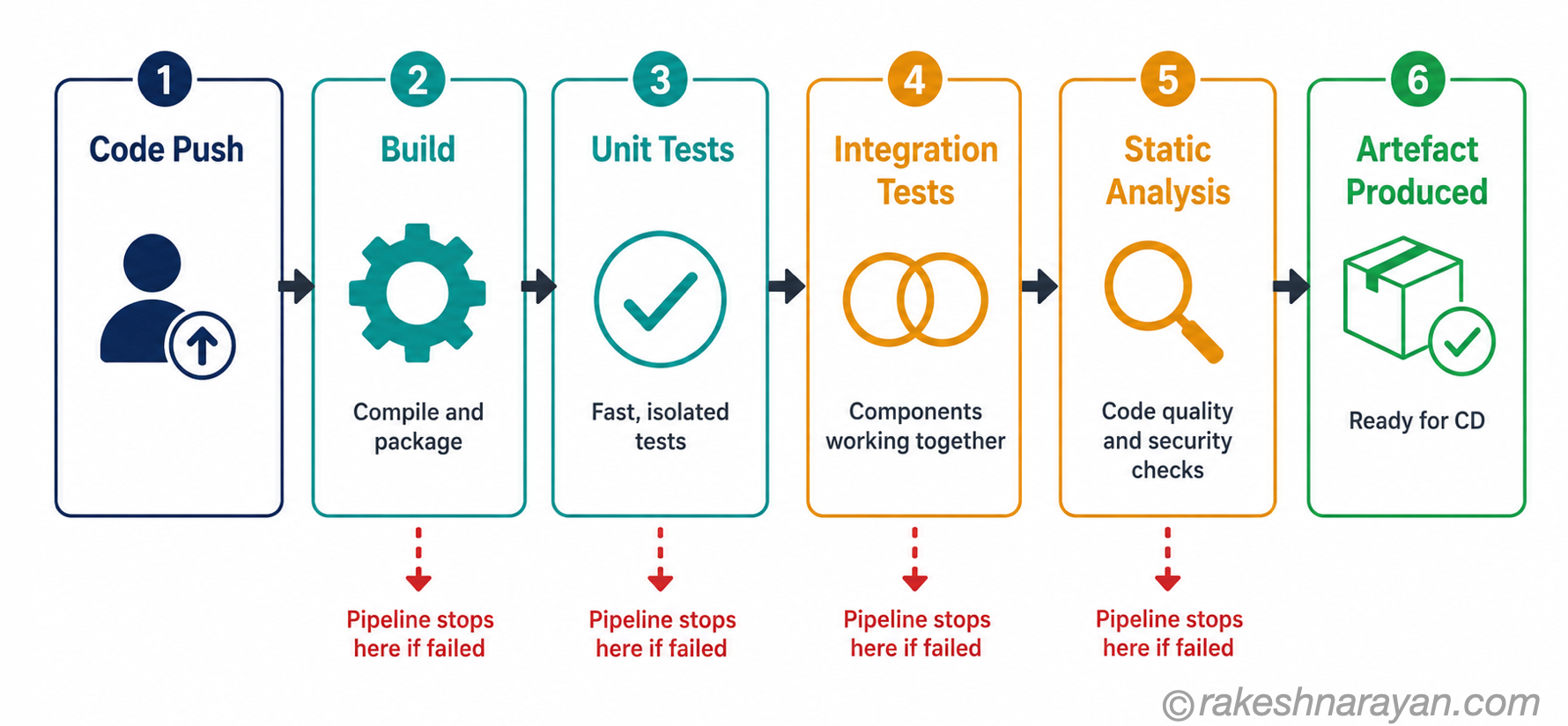
A CI pipeline is a sequence of automated stages that run every time code is pushed. The exact stages vary by team, but the structure is consistent.
| Stage | What happens — and what failure means |
|---|---|
| Trigger | A push to the shared repository starts the pipeline automatically. No manual step. |
| Build | The code is compiled or packaged. Failure here means the code does not build at all — syntax errors, missing dependencies, broken imports. |
| Unit tests | Small, fast tests run against individual functions or components in isolation. Failure here means a specific piece of logic is broken. |
| Integration tests | Tests that check how components work together — API calls, database queries, service interactions. Slower than unit tests but catch a different class of problem. |
| Static analysis / linting | Automated checks for code style, security vulnerabilities and known bad patterns. Not a runtime test — checks the code itself. |
| Artefact produced | If all stages pass, the pipeline produces a deployable artefact — a container image, a compiled binary, a packaged application. This is the output that CD picks up. |
The value of this sequence is the immediacy of feedback. When a developer breaks a build, they know within minutes — not in three weeks at the end of a sprint. The cost of fixing a problem caught at this stage is a fraction of the cost of finding it in production.
💡 Practical tip
Unit tests must be fast. If the CI pipeline takes 45 minutes to run, developers stop waiting for it and start merging without feedback. Target under 10 minutes for the full CI run — and keep unit tests under 2 minutes as a hard constraint.
The CD pipeline — from artefact to production
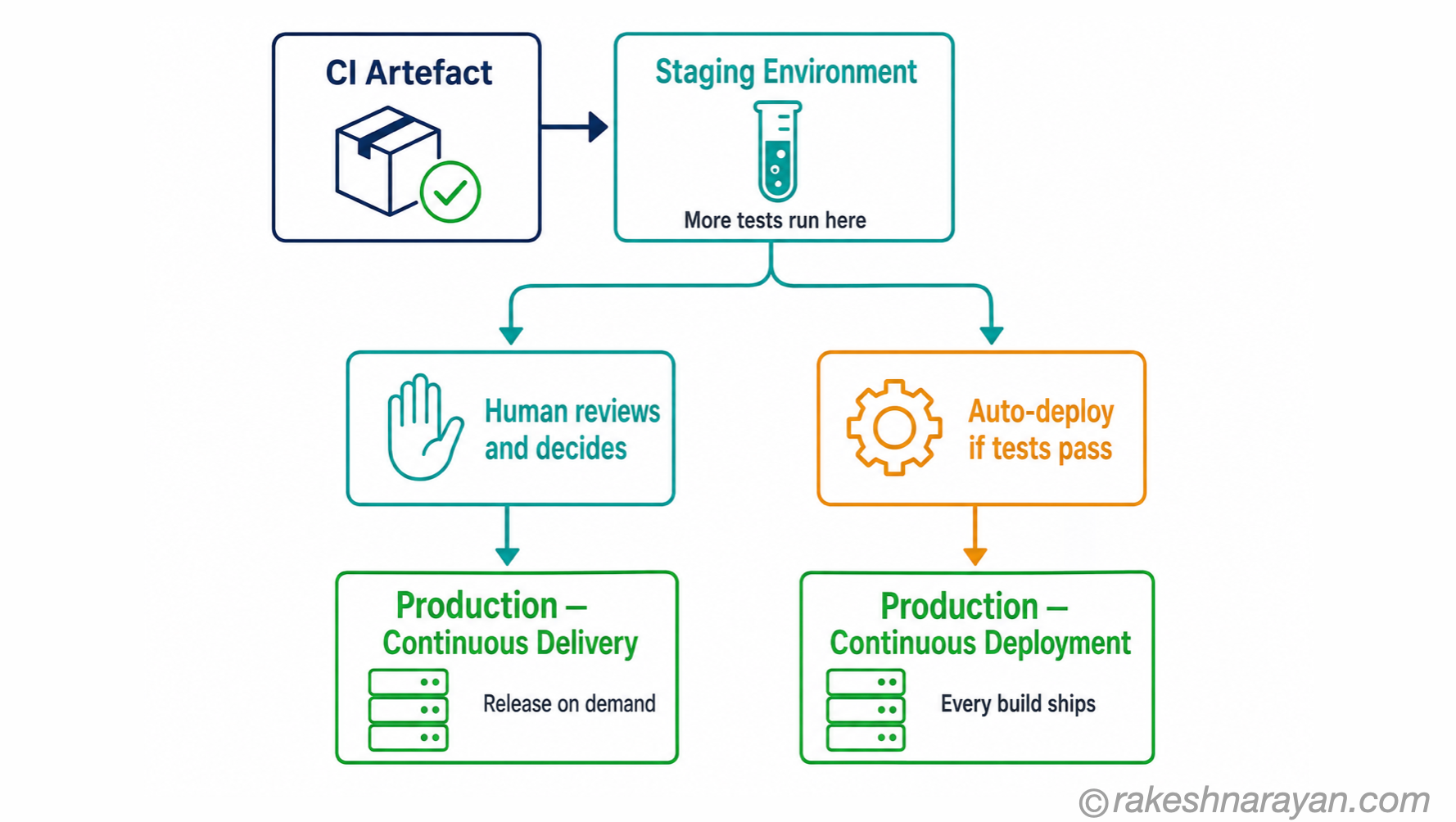
The CD pipeline picks up where CI leaves off. The artefact produced by CI is a known-good build — tested and packaged. CD takes that artefact and moves it toward production.
Every CD pipeline runs the artefact through at least one more environment before production. A staging environment that mirrors production as closely as possible. Additional tests run here — performance tests, smoke tests, end-to-end user flows. The goal is to surface any problem that only appears at scale or in a production-like context.
Then the path splits, depending on the team’s practice.
| Practice | What happens after staging |
|---|---|
| Continuous Delivery | A human reviews the staged build and makes a release decision. One button push — or a scheduled release window — deploys to production. The process is automated; the decision is human. |
| Continuous Deployment | No human decision. If the build passes staging tests, it deploys to production automatically. Every passing build is a release. |
✅ Best practice
The staging environment must mirror production. Different database sizes, different network configurations, different infrastructure — staging becomes useless. Teams that cut corners here reliably discover production problems that staging should have caught.
📝 Note
Some teams add a fourth environment between staging and production — a canary deployment. A small percentage of real traffic is routed to the new version. If error rates stay normal, the deployment rolls out fully. If not, it rolls back. This is Continuous Deployment with a safety net.
At a glance — CI/CD essentials
| Concept | One-line summary |
|---|---|
| CI/CD | The practice of building, testing and deploying code through automated pipelines — small changes, frequently, with feedback at every stage |
| Continuous Integration (CI) | Automatically builds and tests every code push — catches integration problems immediately rather than at release time |
| Continuous Delivery (CD) | Keeps every passing build in a permanently deployable state — a human decides when to release to production |
| Continuous Deployment (CD) | Automatically deploys every passing build to production — no human approval step |
| CI pipeline | The automated sequence that runs on every push: build, unit tests, integration tests, static analysis, artefact produced |
| CD pipeline | The automated sequence that takes the CI artefact through staging and into production — with or without a human gate |
| Staging environment | A production-like environment where the build runs final tests before release — must mirror production to be useful |
| Integration hell | What happens without CI — weeks of parallel work merged at once, conflicts compound, releases become high-risk events |
| Artefact | The deployable output of a successful CI run — a container image, compiled binary or packaged application |
| Canary deployment | A partial rollout to a small percentage of real traffic before full production release — reduces risk in Continuous Deployment |
What to take away
CI/CD is not about moving fast. That is the side effect. It is about making each individual change so small and so well-tested that the risk of any single deployment approaches zero. When you do that consistently, speed follows naturally — because nobody is afraid to ship.
The teams that struggle with CI/CD almost always have the same problem: they kept their old release habits and wrapped a pipeline around them. Large batches of work, infrequent merges, tests that nobody trusts. The pipeline becomes overhead rather than safety net. CI/CD only delivers its value when the practice changes — not just the tooling.
Start with CI. Get the build and tests running automatically on every push. Make the feedback fast. Once that is a habit, Continuous Delivery is a short step — and the decision about whether to go further to Continuous Deployment is one you can make with real data rather than theory.
🔗 Related posts on this site
Git — The Mental Model — CI pipelines watch your repository. Understanding commits, branches and the DAG is the foundation for understanding what triggers a pipeline and why.
Docker and Containers — The Why — Most CI pipelines produce container images as their artefact. Containers make staging environments genuinely mirror production.
How Kubernetes Works — The Mental Model — Kubernetes is where container artefacts from CI/CD pipelines are deployed and orchestrated at scale.
SAP Fiori Deployment Using CTMS with CI/CD on SAP BTP — The same CI/CD concepts applied to SAP Fiori — a complete step-by-step implementation on BTP.
GitHub for SAP Developers — Actions, Issues and Pages Explained — GitHub Actions is one concrete, widely used implementation of the CI/CD ideas in this post.
Linux Command Line — The Mental Model for Developers — every step in a CI/CD pipeline is ultimately a shell command running on a Linux runner; this covers that layer directly.
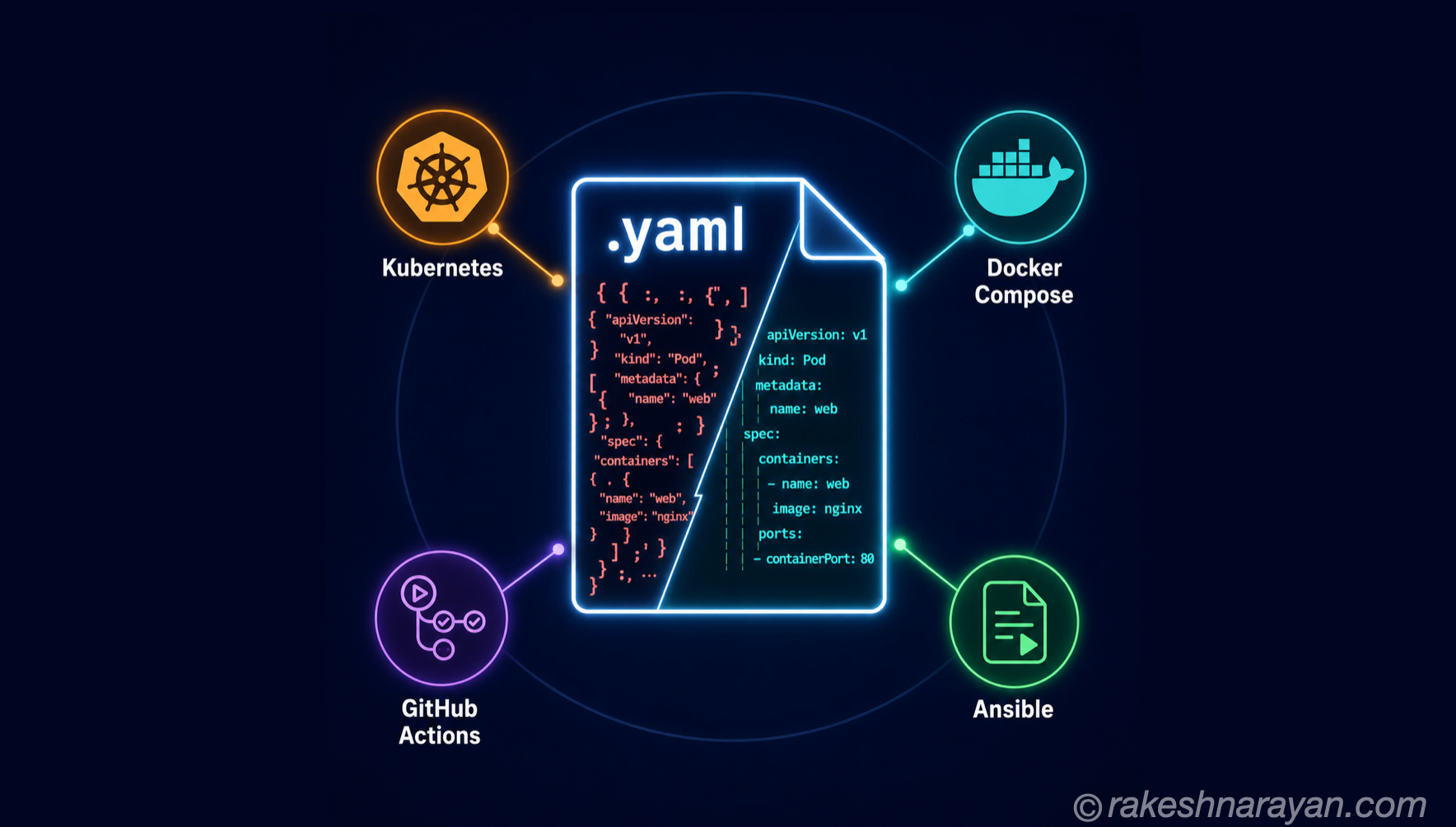
YAML — How It Works and When to Use It Over JSON — most pipeline definitions, including GitHub Actions workflows, are written in YAML; this covers the format itself.
Published on rakeshnarayan.com — Articles
URL: https://rakeshnarayan.com/articles/cicd-from-code-commit-to-live-in-production/
Did you enjoy this article?
Let me know — it takes one click.
0 Comments
Leave a Comment
Looks like this one held your attention — I'd really appreciate a quick comment below.
Your comment has been submitted and will appear after review.