Microsoft Copilot vs GitHub Copilot — Same Name, Different Job
I was on a client call earlier this year when someone said, “just get Copilot to draft the summary.” Four of us reached for four different tools. Two opened Word. One opened VS Code. One opened Teams.
That mix-up is not a training problem. It is a naming problem. Microsoft has attached the word “Copilot” to more products than most people can list, and two of them cause almost all the confusion in a normal working day — Microsoft Copilot and GitHub Copilot.
They share Microsoft’s wider Copilot brand, but GitHub Copilot is a GitHub product and Microsoft Copilot is a Microsoft product, built for different jobs. One drafts your documents. The other writes your code. Mixing them up wastes real time in every meeting where two people quietly assume they mean the same tool.
🔗 Before you start
This post assumes you already know roughly what a large language model is doing under the hood. If that part is still fuzzy, start with What is a Large Language Model (LLM)? . If “GitHub” itself is the confusing part, Git, GitHub and VS Code — A Complete Beginner’s Guide covers the platform GitHub Copilot lives on.
One company, two Copilots — why this happened
Microsoft did not plan this collision. It happened over several years, and the order explains most of the confusion.
Microsoft acquired GitHub in October 2018, in a $7.5 billion all-stock deal. GitHub kept operating semi-independently, and in June 2021 it previewed an AI tool built to suggest code as you type, developed with technology from OpenAI. GitHub Copilot reached general availability in June 2022 — the first product to carry the Copilot name.
Microsoft’s own assistant took a slower route there. Bing Chat launched as a web chatbot in February 2023, and through that year Microsoft folded several AI efforts — Bing Chat, Windows Copilot, Microsoft 365 Copilot — under one umbrella. At Ignite in November 2023, Bing Chat was renamed Copilot, and Microsoft 365 Copilot reached general availability for enterprise customers the same month.
GitHub Copilot earned the name first. Microsoft then extended the Copilot brand across most of what it shipped afterward, and by 2023 the name had stopped telling you what a product does. Now it mostly tells you which part of Microsoft built it.
📌 Key takeaway
If someone in a meeting says “Copilot” without saying which one, ask. It takes five seconds and saves the confusion of two people quietly planning around two different tools.
What Microsoft Copilot actually does
Microsoft Copilot, in its most common enterprise form, is Microsoft 365 Copilot — an assistant built into Word, Excel, PowerPoint, Outlook, Teams, SharePoint and Loop. What you actually get depends on your licence, your tenant configuration and the app version, so do not assume every user in your organisation sees the same capabilities.
What makes the paid version useful in a business context is what it is allowed to see. Microsoft 365 Copilot grounds its answers in your organisation’s own content through Microsoft Graph — your emails, your documents, your meeting transcripts — respecting the access permissions you already have. Ask it to summarise ‘the contract we discussed last week’ and it can actually find that contract, because it has been given access to look.
There is a lighter version worth knowing about: Copilot Chat. It generally provides web-grounded assistance, and access to organisational content depends on your licence, permissions and the specific Microsoft 365 experience you are using. As of 2026 it comes included at no extra cost with eligible Microsoft 365 business and enterprise plans. From July 2026, Microsoft also started bundling the full paid Copilot experience directly into Business Standard and Business Premium, retiring the old standalone add-on for those plans — so what you get can genuinely differ by plan and by when your organisation last checked its licensing.
The paid Microsoft 365 Copilot licence provides broader, deeper integration across Word, Excel, Outlook and PowerPoint, and richer organisational grounding, subject to permissions and configuration — but it is not the only route to any organisational grounding at all, since Copilot Chat has picked up some inbox and calendar awareness too.
There is also a separate consumer product, simply called Microsoft Copilot, reachable at copilot.microsoft.com, in Windows and in Edge — the direct descendant of that 2023 Bing Chat rename. The consumer experience is separate from your organisation’s Microsoft 365 data unless you are using an authenticated work or school experience with the relevant permissions. Three different things, one brand name.
✅ Best practice
If you are evaluating Microsoft Copilot for a team, find out which of the three you are actually being offered — consumer Copilot, Copilot Chat, or a full Microsoft 365 Copilot licence. They are not the same product at different price points. The data grounding is different, and that is the entire point of the tool.
What GitHub Copilot actually does
GitHub Copilot lives inside the tools developers already use — Visual Studio Code, Visual Studio, JetBrains IDEs, Xcode, Neovim, GitHub.com itself, and a command-line interface. It started in 2021 as autocomplete: you type a comment or a function signature, and it suggests the code.
It has since evolved well beyond autocomplete. Agent Mode lets it read across multiple files in a project, propose and apply changes, run terminal commands, and fix its own mistakes when a build fails, when enabled and authorised by the developer or their organisation.
GitHub’s cloud-based coding agent can work from an issue and propose changes or open a pull request, subject to repository settings, permissions and human review. Code review, test generation and commit messages are common supported use cases now, not a novelty.
One detail worth knowing: GitHub Copilot is no longer locked to a single underlying AI model. Depending on the plan, developers can choose between models from providers including OpenAI, Anthropic and Google for a given task, rather than being stuck with whatever GitHub shipped first.
It is built for a technical audience — developers and DevOps engineers who are writing, reviewing or shipping code — and almost everything it does assumes it is sitting inside a codebase, not an inbox.
GitHub Copilot itself sits on top of two other layers people also mix up — Git and GitHub. Git vs GitHub vs GitHub Copilot — What Each One Actually Does covers that separate confusion in full.
💡 Practical tip
On SAP projects, developers may use GitHub Copilot on custom ABAP and Fiori code, not just JavaScript or Python. It is not SAP-aware out of the box — it has no idea what SU24 or an authorization object is unless the context is right there in the file.
Treat its output as a fast first draft, and review anything touching authorisation logic against the controls and review practices your project already has. My SAP Security Roles and Authorisation post covers what that looks like in practice.
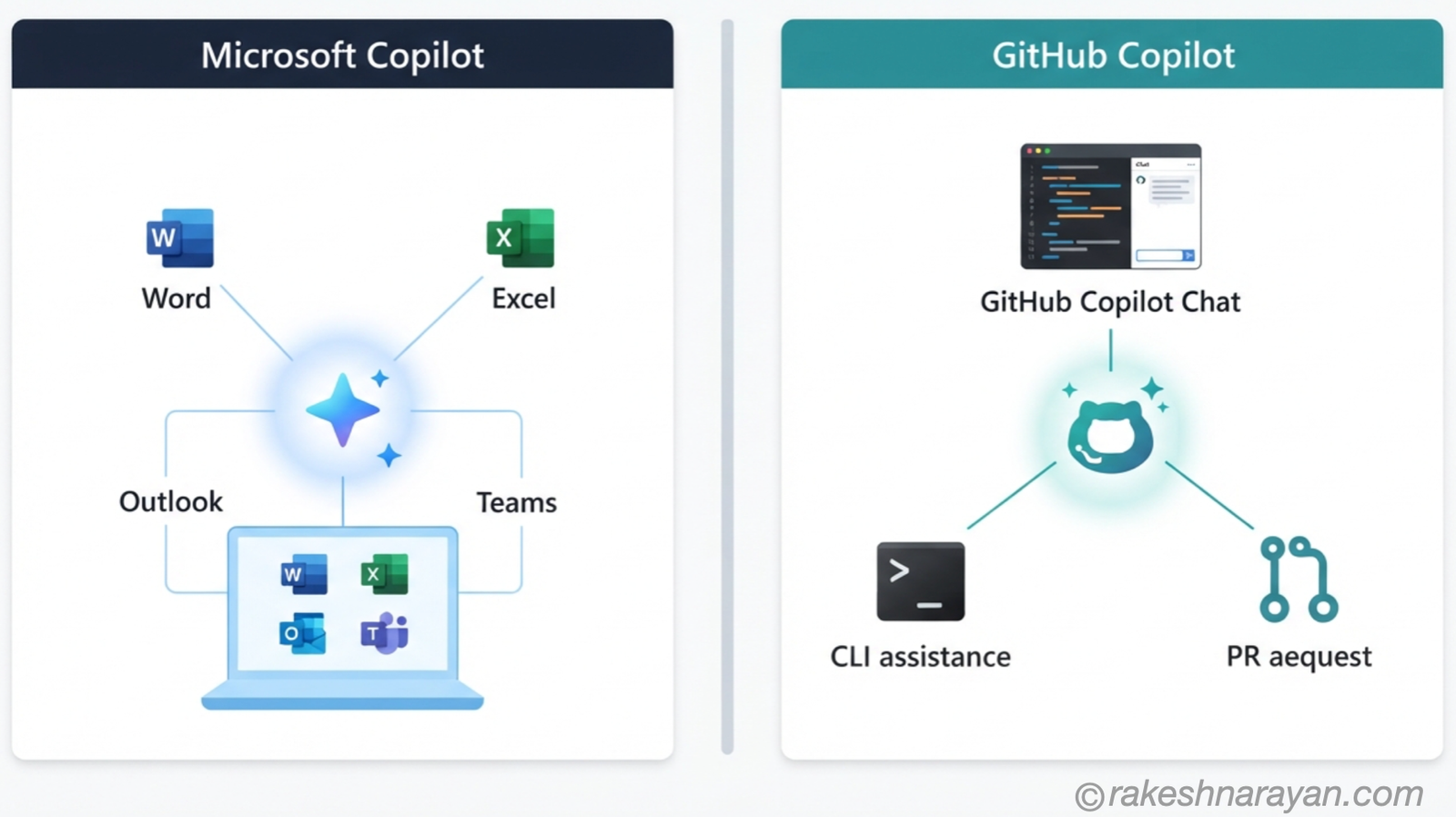
Side by side — the core differences
Put next to each other, the split is straightforward:
| Aspect | Microsoft Copilot | GitHub Copilot |
|---|---|---|
| Purpose | Drafting, summarising and analysing office content | Writing, reviewing and shipping code |
| Primary environment | Word, Excel, PowerPoint, Outlook, Teams, SharePoint | VS Code, Visual Studio, JetBrains IDEs, GitHub.com, CLI |
| Typical user | Business and knowledge workers | Developers and DevOps engineers |
| Data grounding | Organisation’s content via Microsoft Graph (full licence), or the open web (Copilot Chat / consumer) | The code and repository in front of it |
| Underlying models | Built on OpenAI models, expanding to other providers | Multi-model — choice of OpenAI, Anthropic, Google and others per task |
| Product family | Microsoft 365 | GitHub (owned by Microsoft since 2018) |
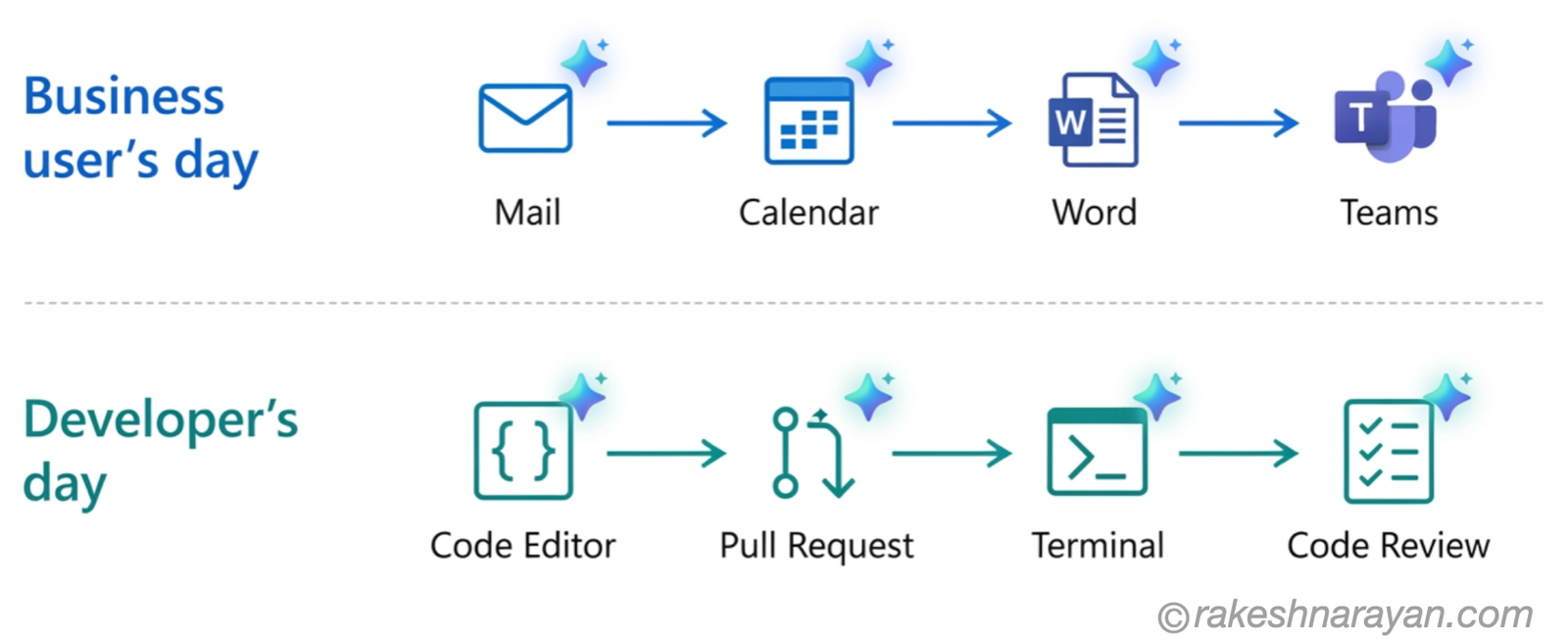
Where the lines blur
The overlap is real, and it is growing. Microsoft Copilot inside Excel can now write and explain Python and formula logic, which is code by any reasonable definition. GitHub Copilot Chat can explain a codebase in plain English well enough that a product manager could follow it without opening a single file.
Both products are also turning into agent platforms rather than pure chat assistants. Microsoft 365 Copilot has Agent Builder and a Workflows agent for automating cross-app tasks. GitHub Copilot has its own SDK for building agent-style workflows into other applications.
The “office assistant” and “developer assistant” framing still holds at the core, but the edges get harder to draw cleanly every year.
⚠️ Warning
Do not assume one can substitute for the other just because the overlap exists. I have watched a developer ask Microsoft Copilot to explain a piece of company code because it happened to be open in a Teams chat. It gave a plausible, confident answer built on nothing, because Microsoft Copilot had no access to that actual repository.
A wrong answer delivered with total confidence is the worst version of this mistake, and it is an easy one to make when both tools answer in the same friendly tone.
Which one do you actually need
For most people the decision follows directly from the job, not a real trade-off.
| If you mainly need to… | Consider… |
|---|---|
| Draft documents, emails or slides | Microsoft 365 Copilot |
| Chat without a paid licence | Copilot Chat |
| Ask general web questions | Microsoft Copilot (consumer) |
| Write or review code in an IDE | GitHub Copilot |
| Work across a repository and open pull requests | GitHub Copilot |
| Ask about SAP business processes | SAP Joule |
Many larger organisations end up licensing several of these, for different people, and that is normal — they are not competing for the same budget line or the same user.
For SAP shops specifically, there is a third name worth having in your head: Joule. It is SAP’s own AI assistant, built for the business-user side of SAP systems the way Microsoft Copilot is built for the Microsoft 365 side — my AI in SAP: How Joule and Business AI Actually Work post covers where it fits.
On the developer side, GitHub Copilot shows up constantly in SAP shops that build outside the ABAP stack — my GitHub for SAP Developers post covers that territory.
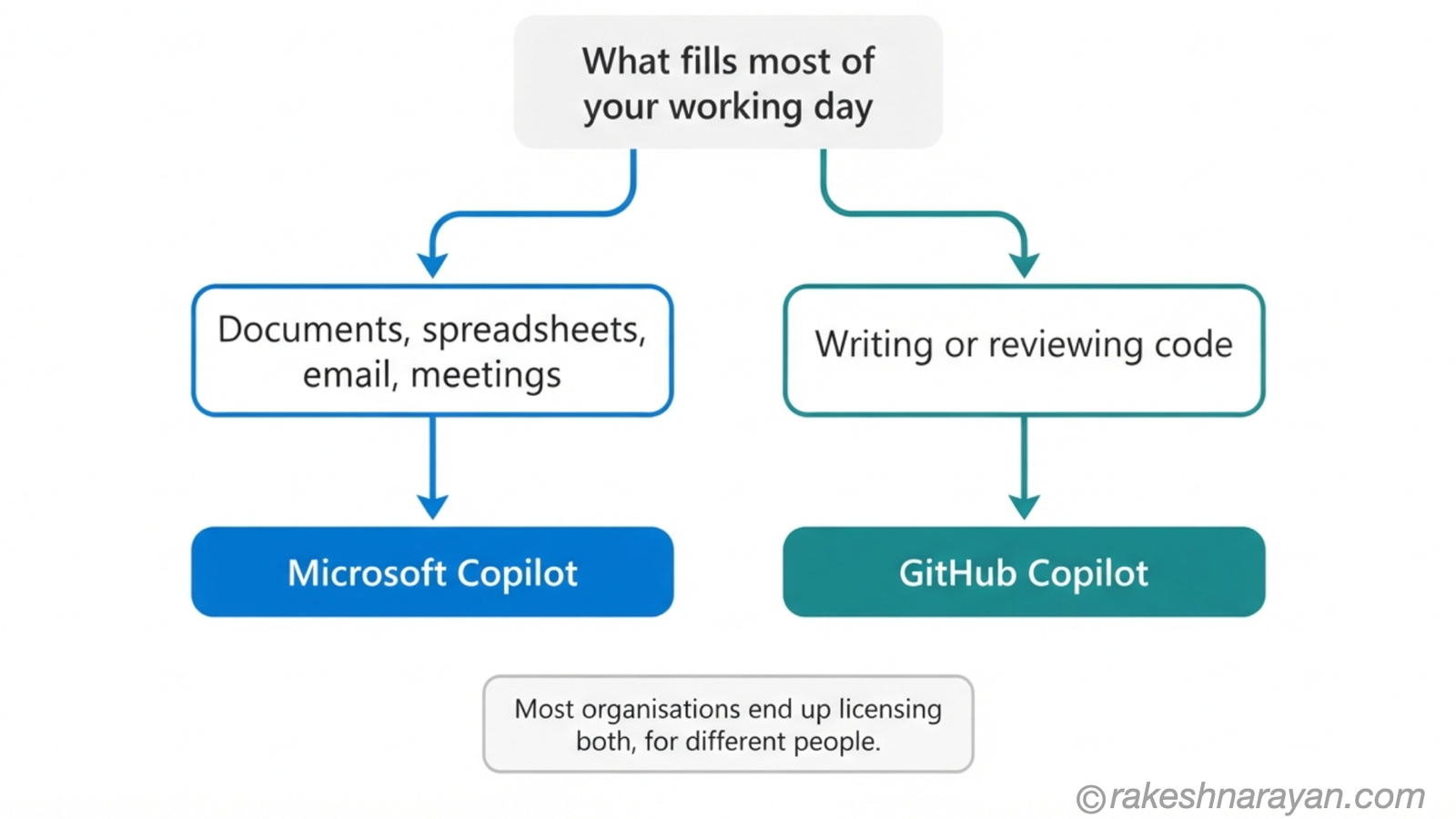
At a glance — Microsoft Copilot vs GitHub Copilot
| Concept | One-line summary |
|---|---|
| Microsoft Copilot (2023 rename) | Consumer AI chat at copilot.microsoft.com — web-grounded, no access to organisation data |
| Copilot Chat | Free, web-grounded AI chat included with eligible Microsoft 365 plans; some Business plans now bundle full Copilot instead, since July 2026 |
| Microsoft 365 Copilot | Full licensed assistant grounded in your organisation’s own data via Microsoft Graph |
| GitHub Copilot | AI pair programmer inside IDEs and GitHub — autocomplete, chat, Agent Mode and autonomous coding agents |
| Agent Mode | GitHub Copilot capability for multi-file edits, running commands and fixing its own errors |
| Multi-model support | GitHub Copilot’s ability to switch between AI models from different providers per task |
| Microsoft Graph | The permission-aware data layer that lets Microsoft 365 Copilot see your organisation’s own content |
| SAP Joule | SAP’s own AI assistant for business users inside SAP systems — the SAP-world equivalent of Microsoft Copilot |
What to take away
The lesson here is not really about these two products. It is that a product name stopped being a reliable guide to what a tool does. “Copilot” tells you almost nothing on its own anymore — it tells you which division of Microsoft shipped it, and that is all.
The next time someone reaches for “Copilot” in a sentence without naming which one, that is worth a five-second question, not an assumption. It is a small habit, and it saves more meeting time than almost anything else on this list.
🔗 Related reading
AI Agents — What They Are and How They Work — both Copilots are turning into agent platforms; this covers what that actually means.
AI in SAP: How Joule and Business AI Actually Work — SAP’s own answer to the Microsoft Copilot side of this comparison.
GitHub for SAP Developers — Actions, Issues and Pages Explained — where GitHub Copilot fits into an SAP developer’s actual toolchain.
Published on rakeshnarayan.com — Articles
URL: https://rakeshnarayan.com/articles/microsoft-copilot-vs-github-copilot-same-name-different-job/

Did you enjoy this article?
Let me know — it takes one click.
0 Comments
Leave a Comment
Looks like this one held your attention — I'd really appreciate a quick comment below.
Your comment has been submitted and will appear after review.